▸ Native SSH client · tmux control mode · iPhone & iPad

Your tmux windows, one tap away.

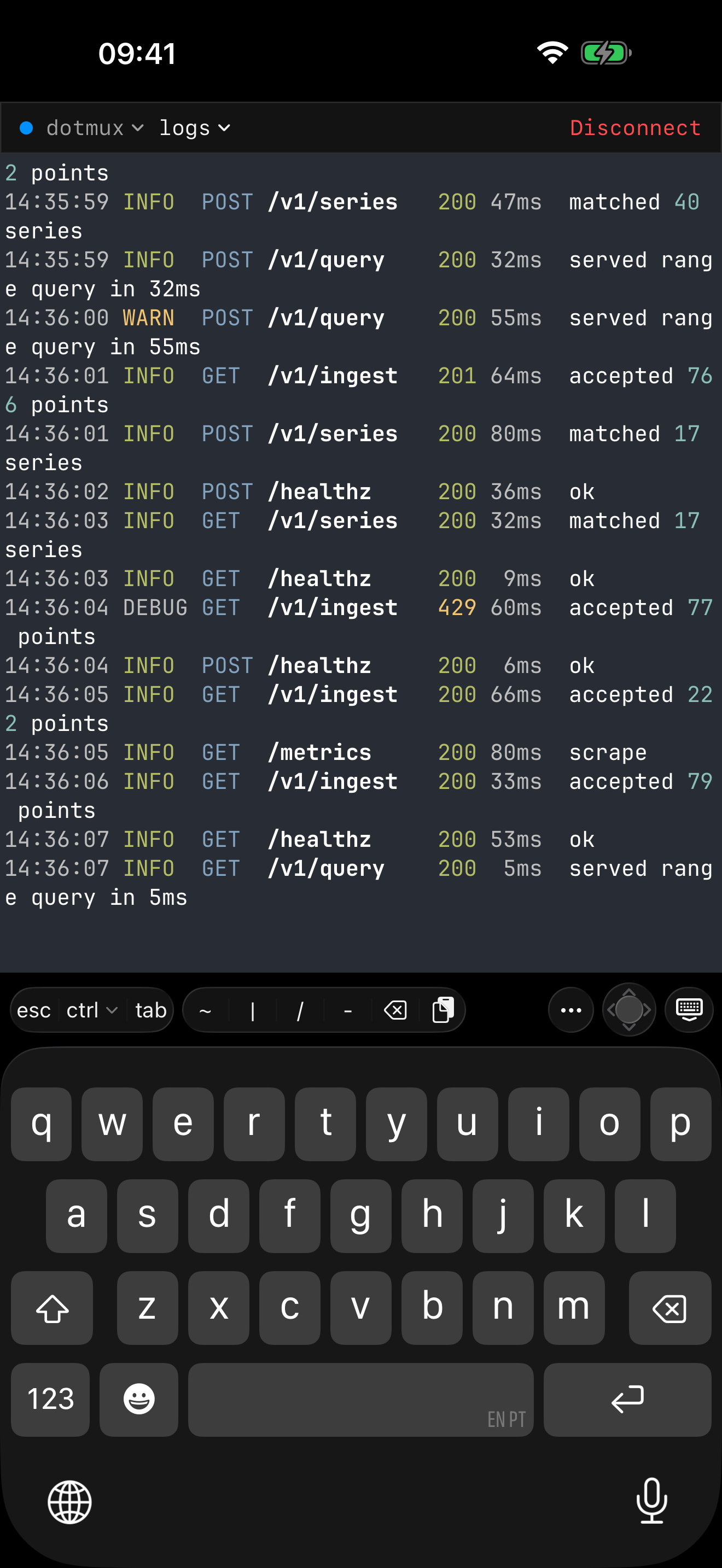
dotMux is a native SSH client that speaks tmux control mode and rebuilds your remote workspace as real iOS UI — no Ctrl-B gymnastics to manage it. Switch between your servers in a tap — multiple hosts stay connected simultaneously, so there's nothing to reconnect. Windows become a menu on iPhone or tabs on iPad, and every pane is its own native view: focused full-screen on iPhone, true side-by-side splits on iPad. Tap to switch, swipe to scroll, split and resize panes by touch — and drive your whole session without a single Ctrl-B.

Download on the App Store See how it works Free for your first host · $1.99 one-time to add more, no subscription · iOS 26+
The difference

tmux that feels like it was built for iOS

dotMux talks to tmux over its control-mode protocol (tmux -CC), so it owns the rendering. Your remote layout isn't a screenshot of a terminal — it's native windows, native panes, and native touch.

Switch hosts in a tap

Move between servers as fast as you switch tabs.

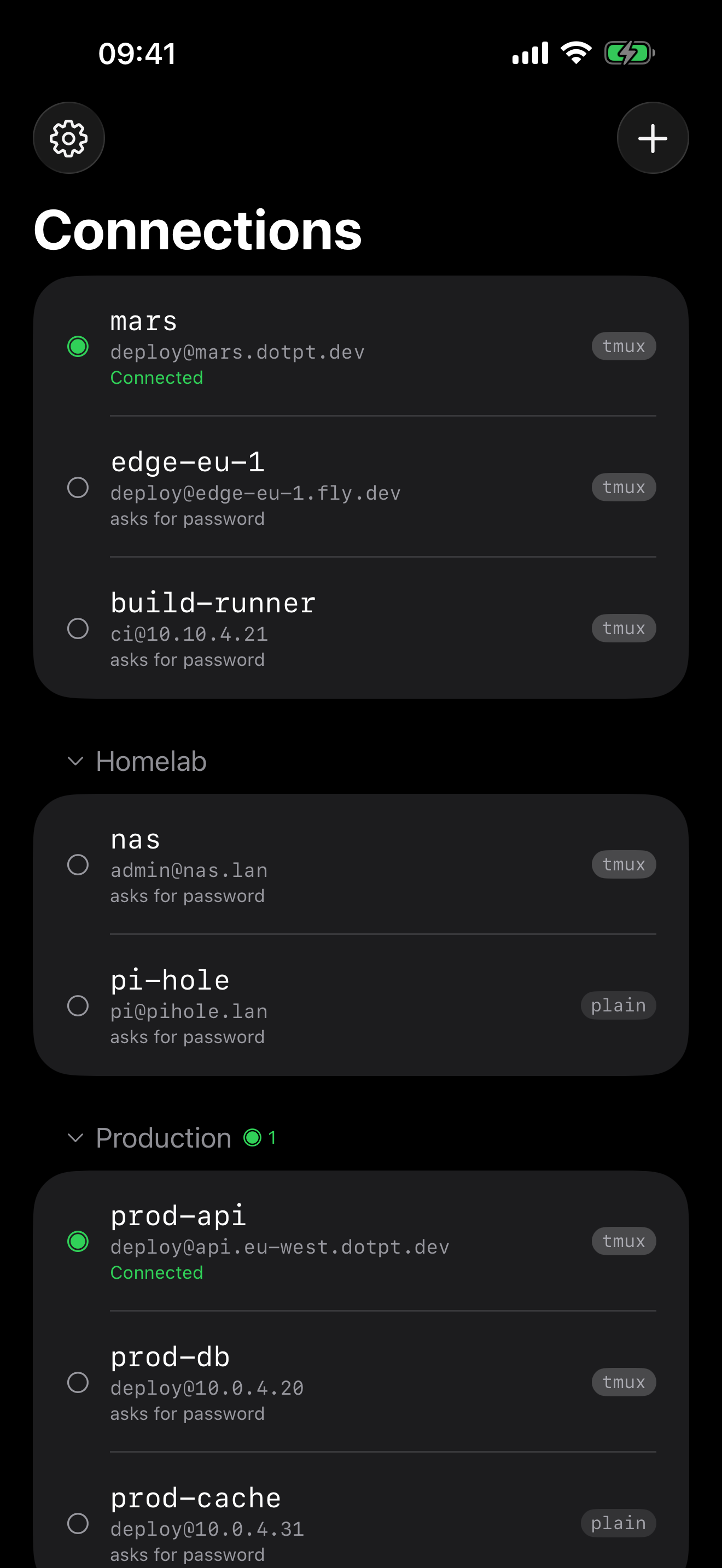
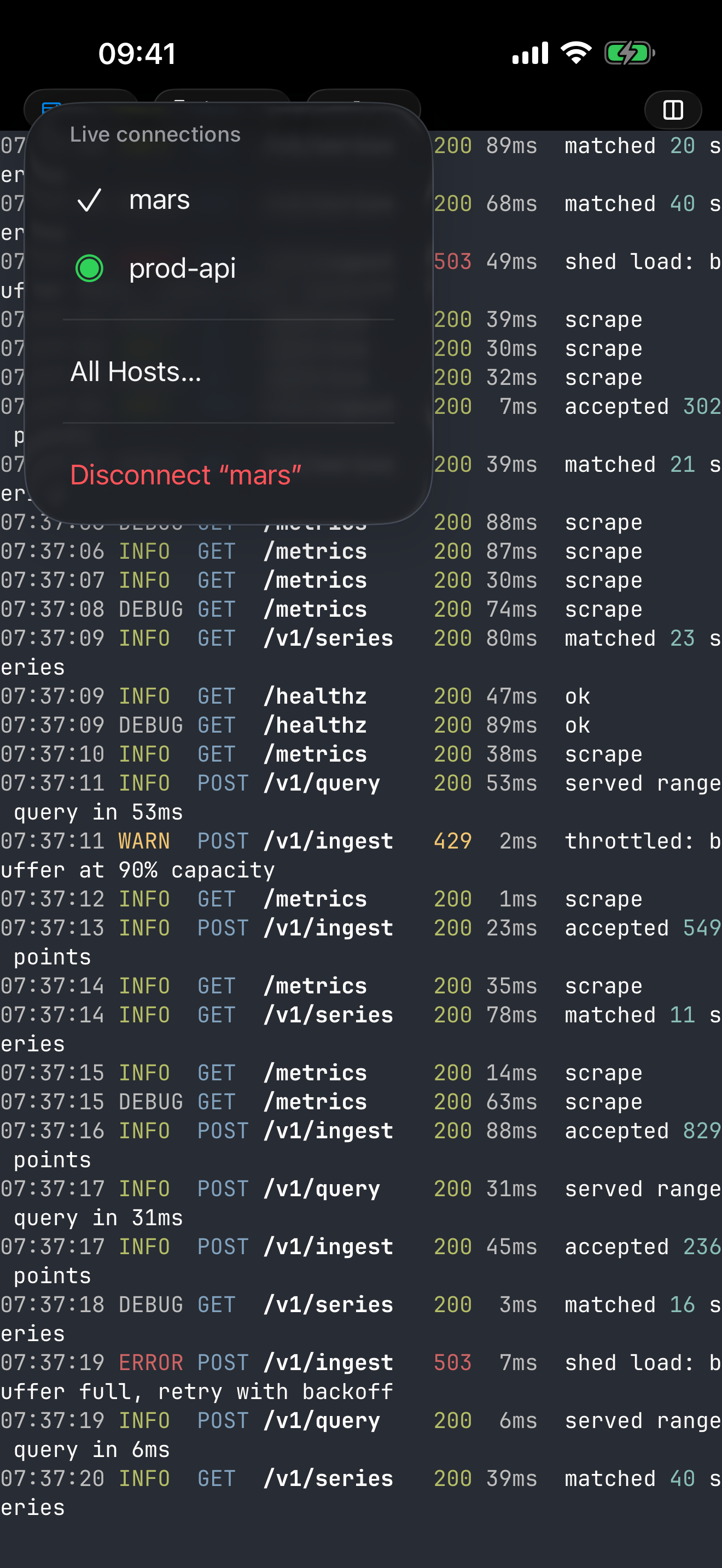
Tap a host and you're in it — no reconnect, no re-auth, no hunting for where you were. That works because dotMux keeps multiple hosts connected simultaneously: leaving a terminal doesn't tear it down, so the session you come back to is the one you left, still running.

  • Switch from the connections list, which marks what's live where you already look
  • Or never leave the terminal: the connection pill jumps straight to any other open host
  • Group hosts into folders, each folder showing what's connected inside it
Native tabs & panes

Don't just see your layout — control it.

Connect, and your remote tmux session is rebuilt as a native interface. Split, resize, and close panes by touch from a native menu — no Ctrl-B gymnastics — switch windows with a tap, and let every operation run through tmux itself.

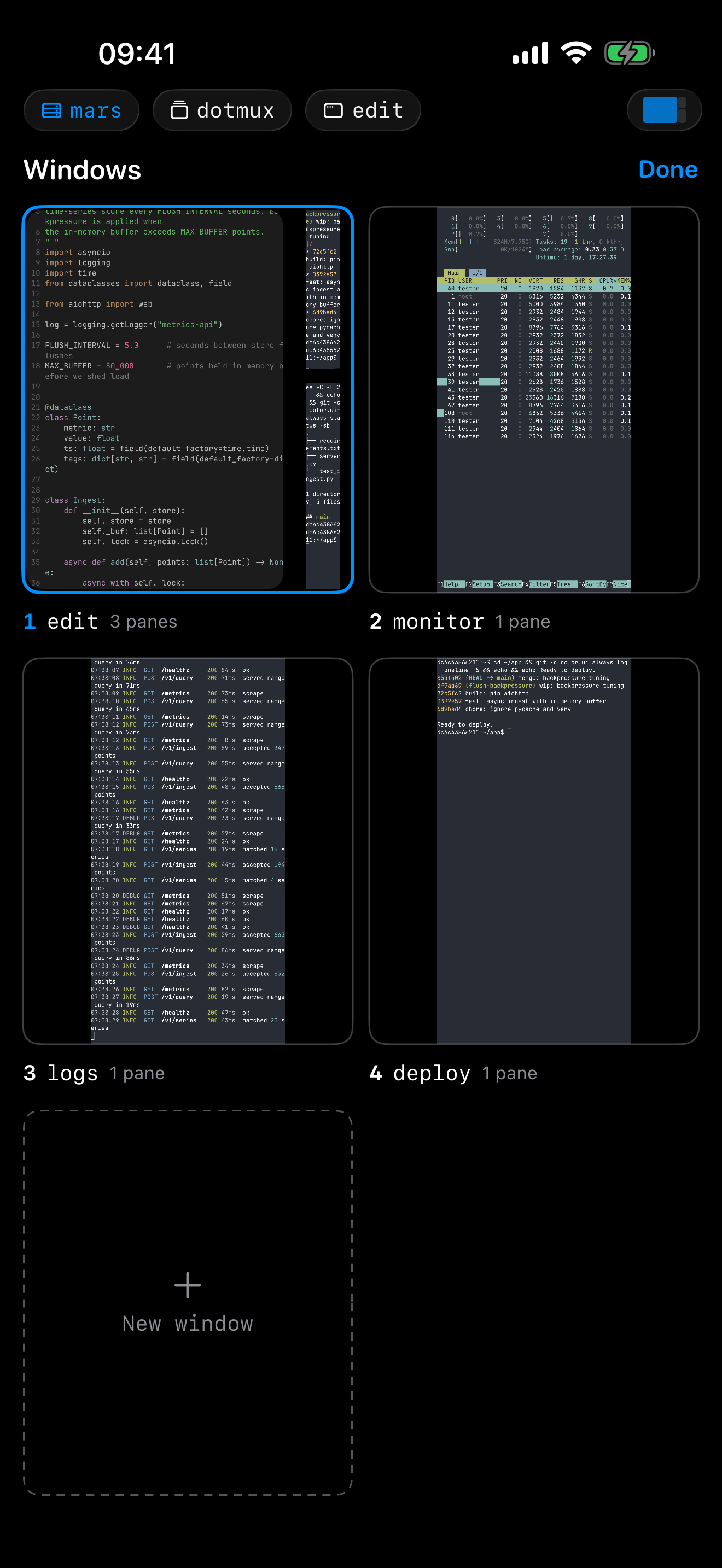
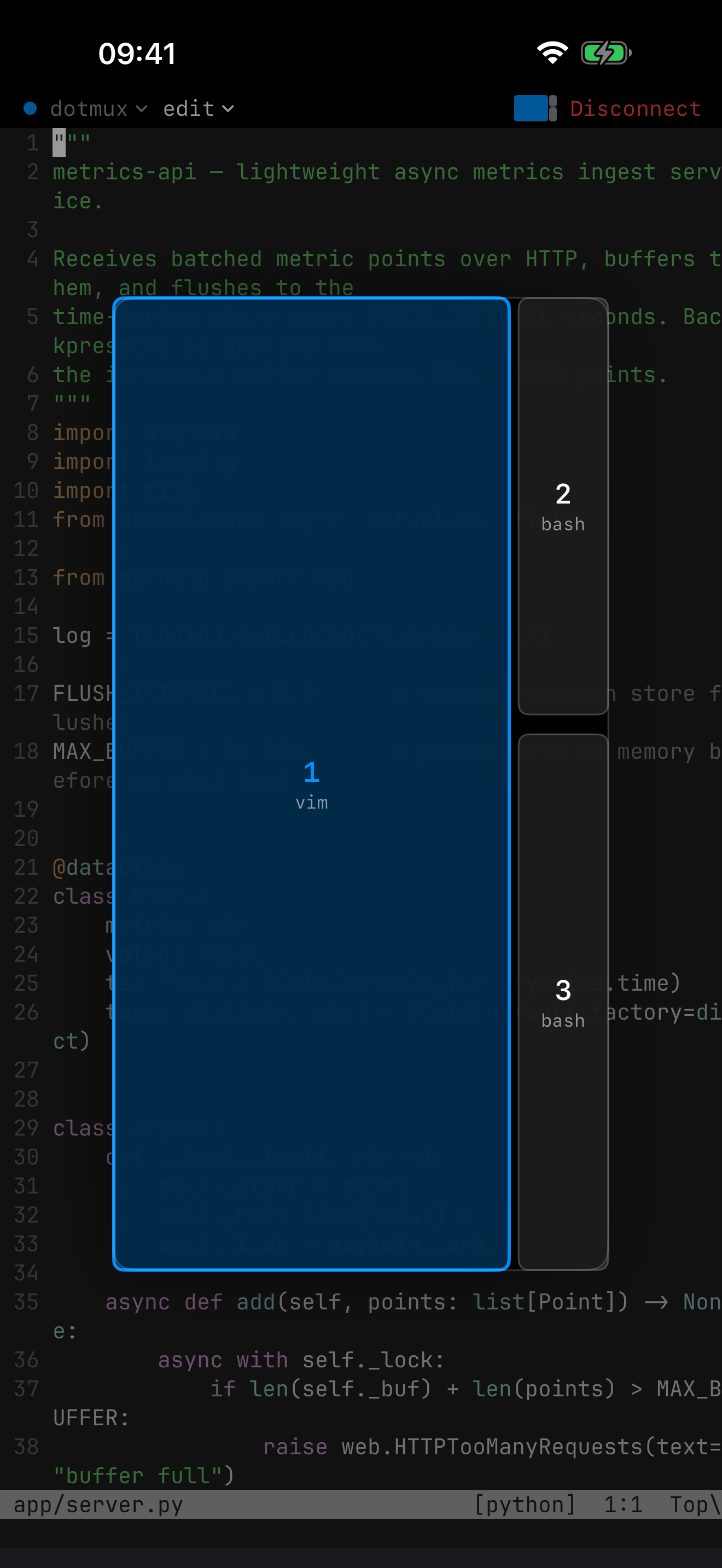
  • The window and pane pickers render your real terminals, live — pick a window by what's in it, not by its name
  • Split, resize, and close panes by touch — focused full-screen on iPhone, true side-by-side splits on iPad, and drag the divider to resize on either
  • Select and copy with native handles, and tap links to open — even inside full-screen apps like Claude Code
  • No tmux? dotMux falls back to a plain terminal, gracefully
Real SSH, done right

Secrets that never leave your device.

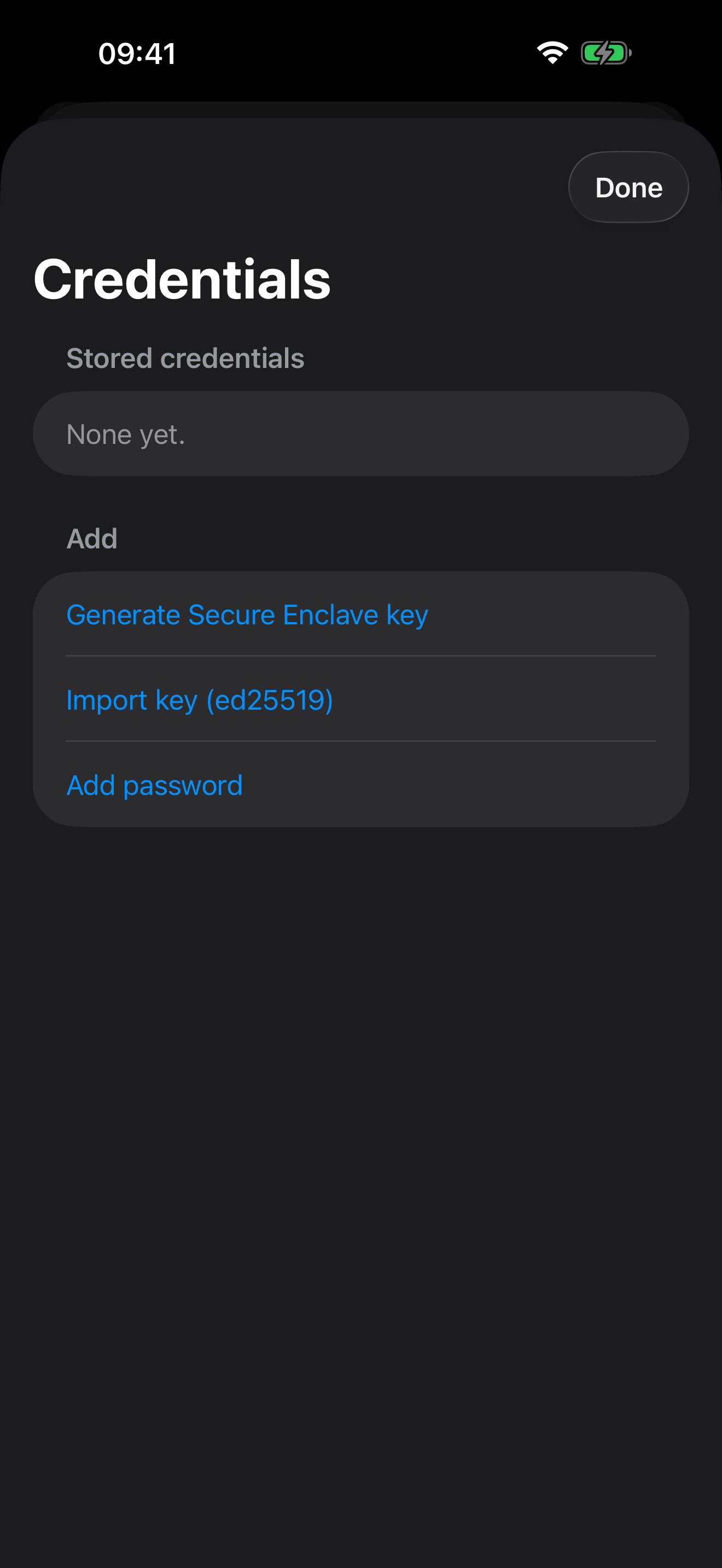
Password and public-key auth. Import your ed25519 or ECDSA keys, or generate one inside the Secure Enclave — non-exportable, signing happens in-chip, the private key never exists outside the enclave.

  • ed25519 and ECDSA (P-256) keys by paste or from Files (passphrase-protected too)
  • Secure Enclave P-256 keys generated on-device
  • Every server you trust is listed on a known-hosts screen — review it, or forget a key
  • Direct device-to-server connections — no middleman, no backend
Persistent sessions

Pick up exactly where you left off.

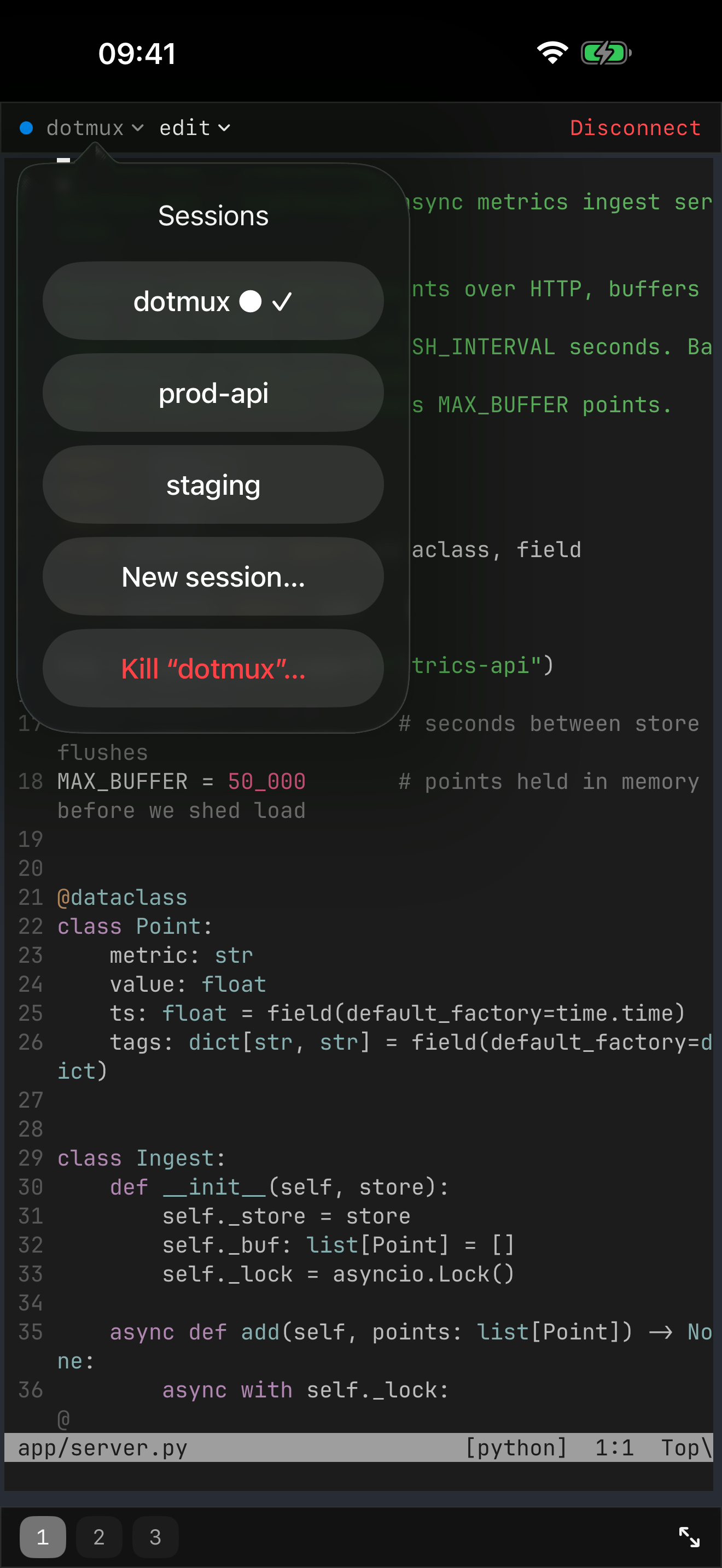
iOS suspended the app? Your jobs keep running on the server. Come back and dotMux re-attaches to your tmux session — your tabs and panes rebuild themselves. The session picker lists every session on the host and switches in place.

  • Background & re-attach without dropping your work
  • List, switch, and create named tmux sessions per host
  • Each host remembers the session you were in
A keyboard for terminals

The terminal keys iOS left out.

iOS's keyboard can't make Esc, Ctrl, Tab, or arrows. dotMux adds a helper bar that can — plus a drag-pad arrow joystick with press-and-hold repeat, sticky modifiers, and a hide-to-dock control.

  • Esc, Ctrl, Tab, pipe, and the rest, one tap away
  • Arrow joystick with auto-repeat for vim and shell history
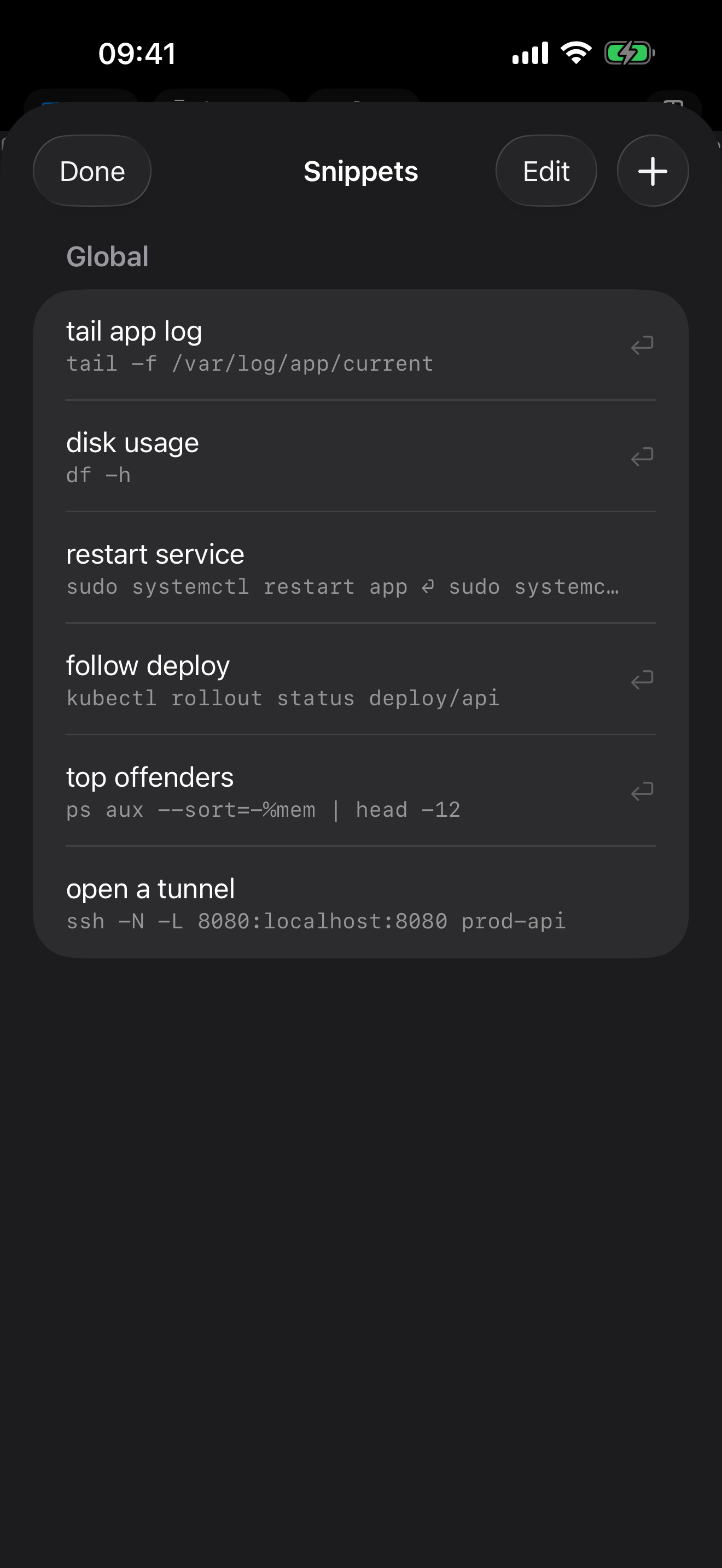
  • Snippets: save the commands you keep retyping — globally or per host — and run them from the bar
  • Draft long commands and agent prompts in a composer sheet, sent as one clean paste
  • Native iOS 26 styling that respects your system tint
Make it yours

Your terminal, your way.

Ten live-preview color themes and six monospaced fonts, with pinch-to-zoom to dial in the size — or bring the theme you already use on the desktop. Then rebuild the helper key bar itself: add, remove, and reorder keys, snippets, and widgets, and carry your layout between devices as a JSON file.

  • 10 themes — Dracula, Nord, Solarized, Gruvbox, Tokyo Night, Catppuccin and more — each with a live preview
  • Import any Ghostty or iTerm2 color theme, from a file or straight from a URL
  • 6 fonts, an adjustable size, and pinch-to-zoom right on the terminal
  • Rebuild the key bar your way, and export or import it as a JSON file
Paste images over SSH

Paste a screenshot into a remote session.

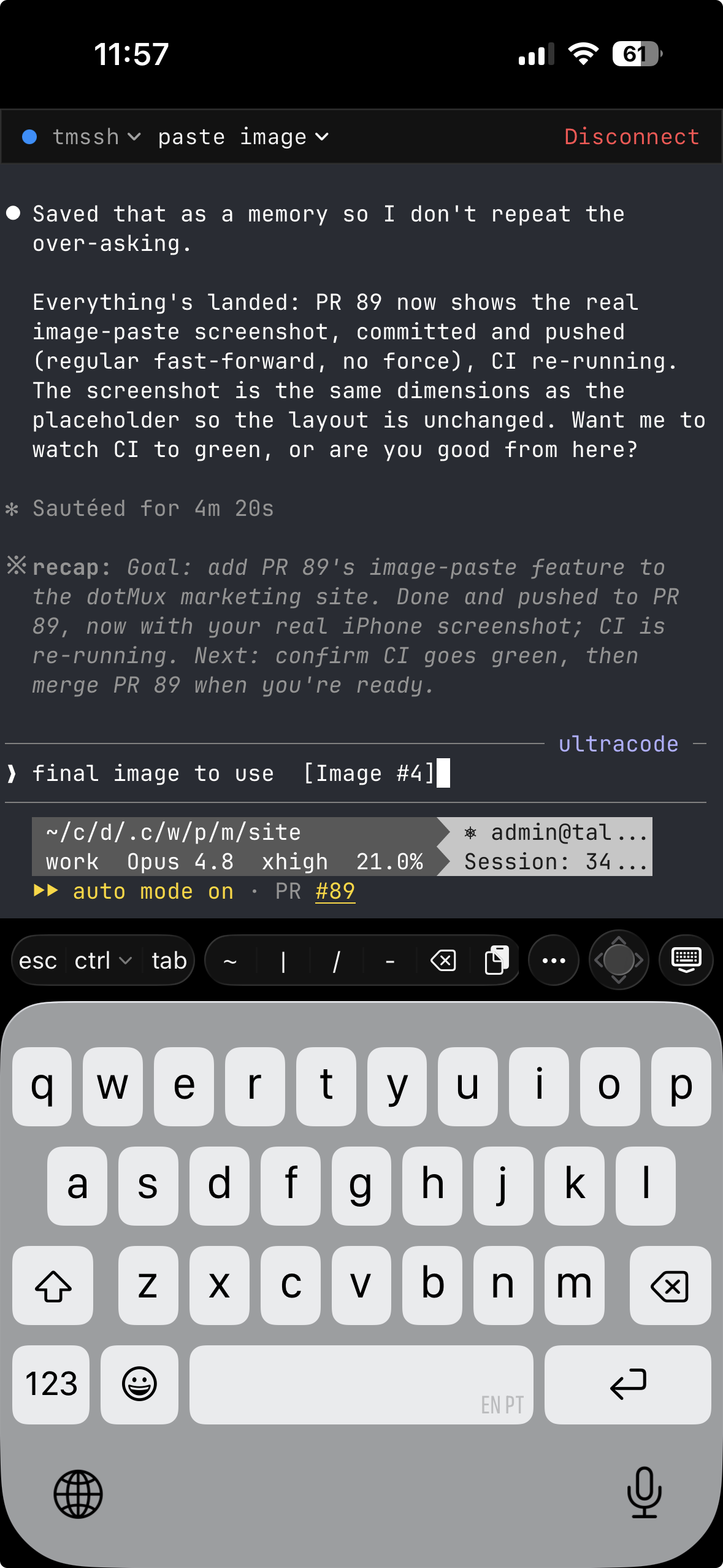
A headless SSH box has no clipboard, so the CLI you're running can't reach the image on your device. dotMux bridges the gap: copy an image, hit paste, and it's uploaded to the remote over your existing connection with its path dropped straight into the prompt. In Claude Code that path attaches inline as [Image #1]; any tool that takes an image by path can use it too. No Mac in the loop, no re-uploading by hand.

  • Uploads over a second SFTP channel on your existing connection — image bytes never touch the tmux stream
  • Seamless in Claude Code; any path-taking CLI gets the file and its path just the same
  • Photo metadata like GPS is stripped on-device, files auto-clean themselves — plain text paste is unchanged
dotMux on iPhone running a Claude Code session over SSH, with the helper keyboard bar — including a paste key — above the iOS keyboard.
Beyond the terminal

Reach the web UI behind the firewall.

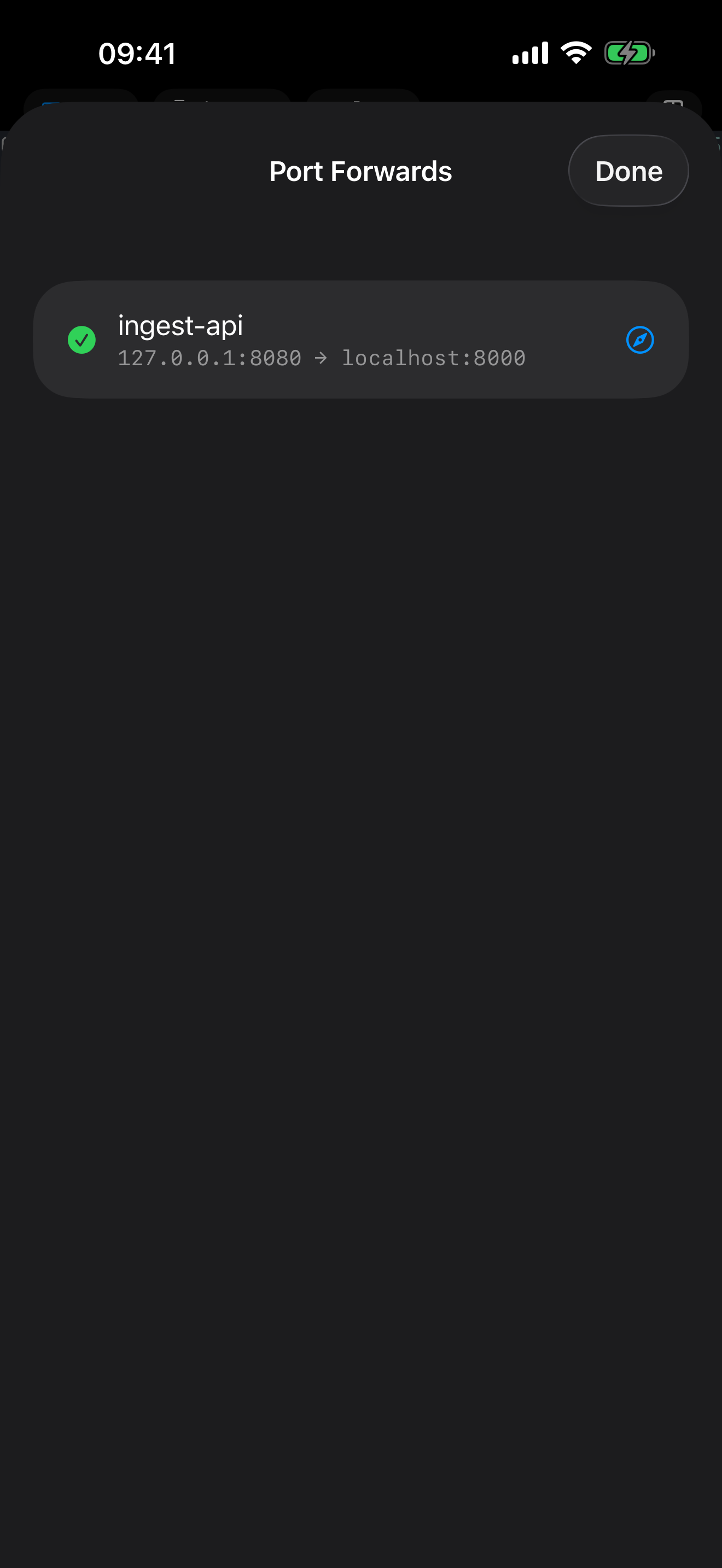
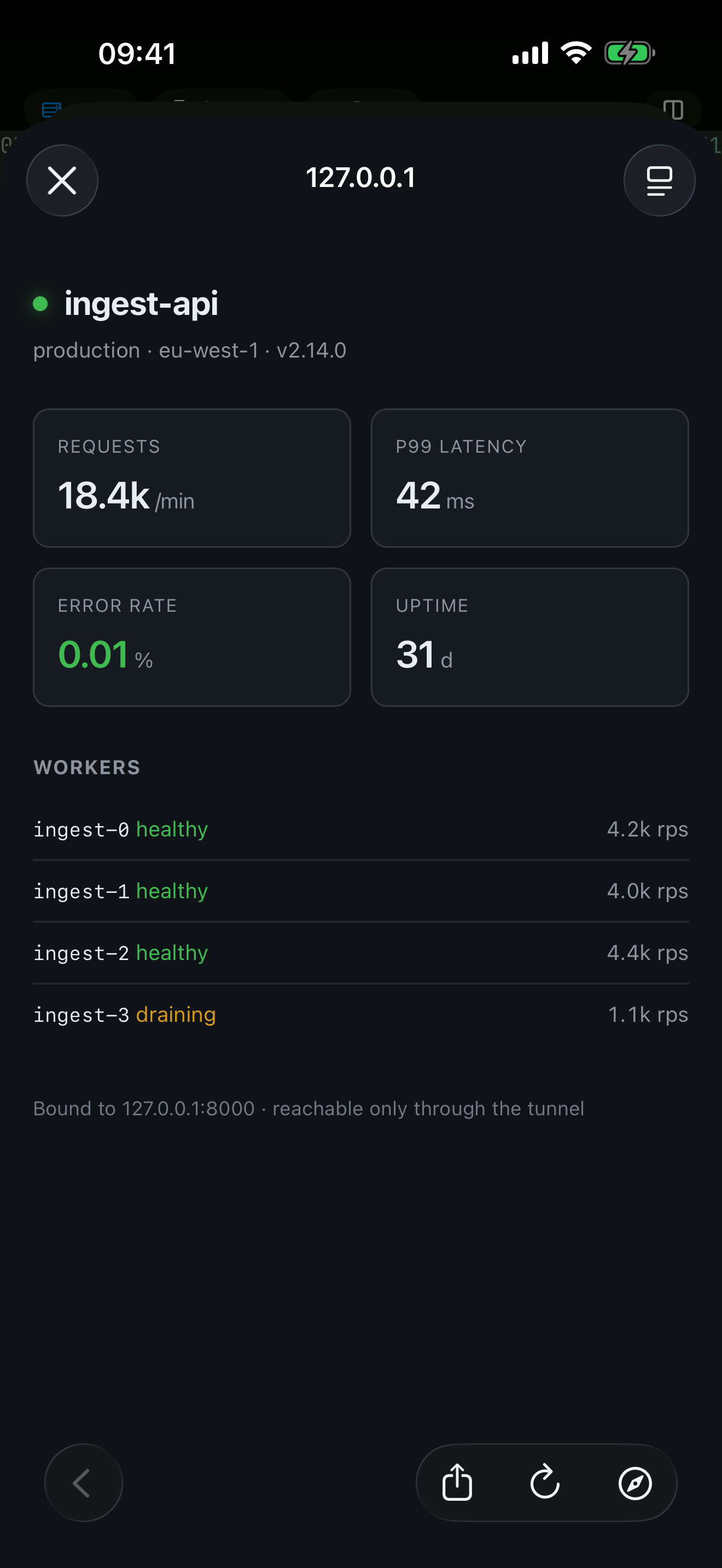
Your server's dashboard is bound to localhost and that's exactly where it should stay. dotMux forwards the port over the SSH connection you already have and opens it in a browser inside the app — nothing exposed to the network, no VPN. And when you'd rather not open the app at all, Shortcuts can drive dotMux for you.

  • Local port forwarding over your live SSH connection, with an in-app browser one tap away
  • Shortcuts actions: connect, send a command, read the output back into your automation
  • Unattended runs are opt-in per credential, for automations that can't stop to ask for Face ID
Security & privacy

Your credentials stay on your device. Full stop.

dotMux runs no servers and has no account. It connects straight from your device to your own machines, and the developer never receives your keys, passwords, or traffic.

face_id

Two layers of Face ID

An app-lock when you open dotMux, plus a per-credential check each time a key or password is used.

secure_enclave

Keychain & Secure Enclave

Credentials are device-bound and never synced to iCloud. Secure Enclave keys can't be exported and only ever sign in-chip.

no_tracking

No data collected

No analytics, no tracking, no ads, no sign-up. An app-switcher privacy cover even hides your terminal in the iOS app switcher.

Made for iPad too

One universal app. Real splits on a big screen.

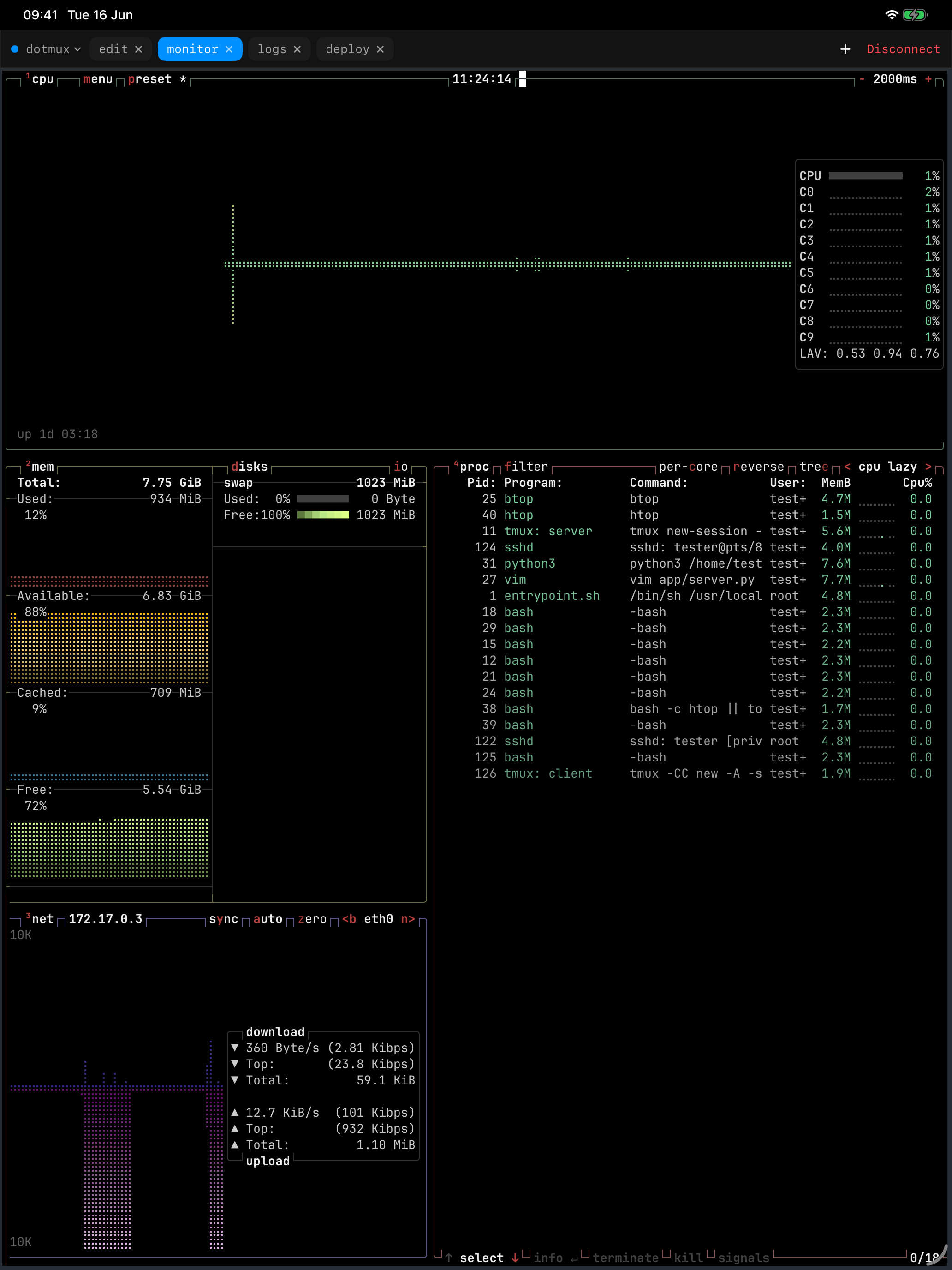
On iPad, panes become true side-by-side splits — an editor, your logs, and a system monitor at once. Open hosts in multiple windows, and use it with a hardware keyboard and trackpad.

  • True native split layout on iPad
  • Multiple windows, side by side
  • Built for hardware keyboard & trackpad
dotMux on iPad showing four live monitoring feeds side by side in native panes, rendered from a remote tmux window.

Bring your servers with you.

A real terminal for iPhone and iPad — native tmux, real SSH keys, and your sessions waiting where you left them.