▸ herdr · iPhone & iPad

herdr on iOS, every agent at a glance.

herdr is a terminal multiplexer made for running AI coding agents. Point dotMux at a host running it and its workspaces open as native tabs and panes, with each agent's state marked on its pane.

Free for one host · iOS 26+ · herdr 0.9.0+

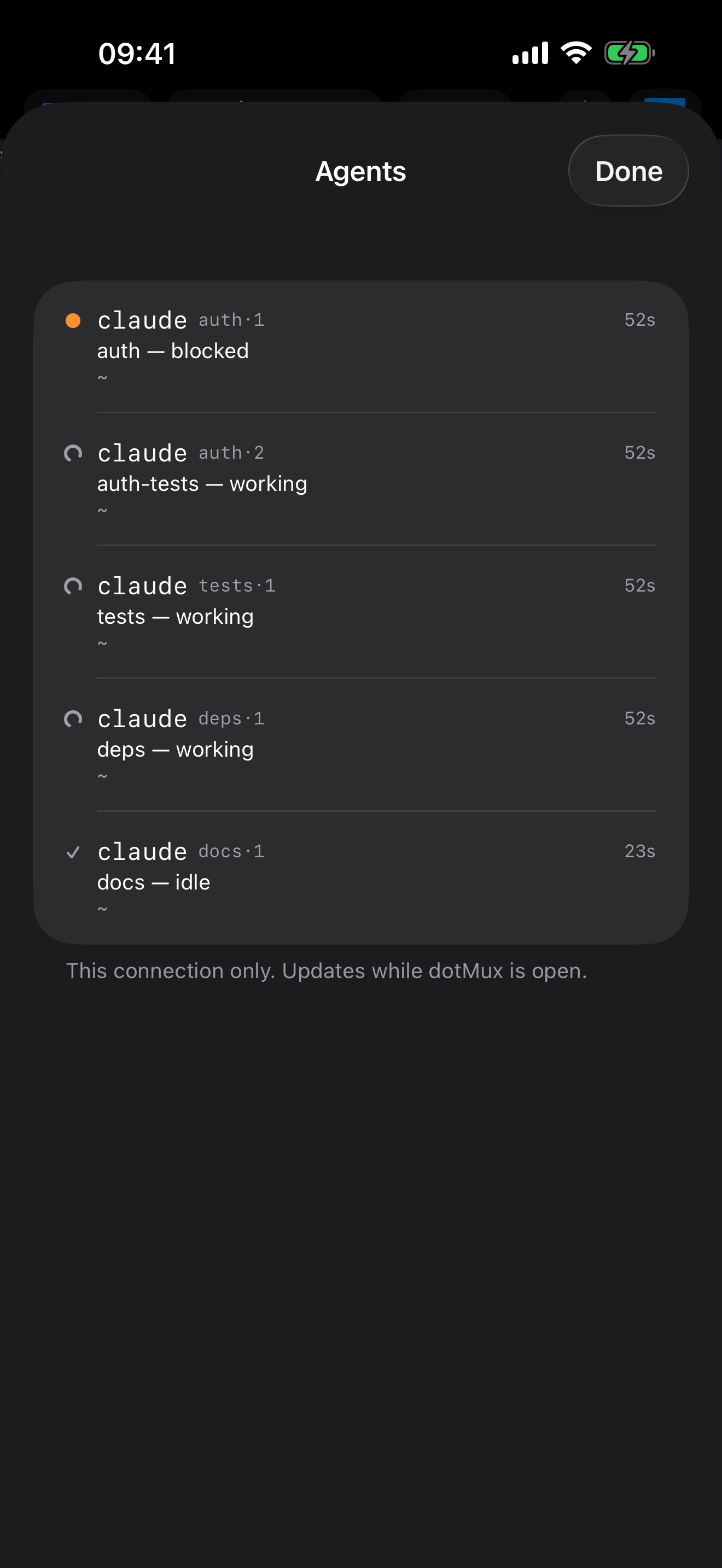
The dotMux Agents sheet on iPhone for a herdr host: five agents listed by tab, one blocked, three working and one idle.
Agent state

Know which agent is waiting on you.

Five agents on one box is easy to start and hard to watch from a phone. herdr tracks what each one is doing, and dotMux shows it: blocked, working or done, in a corner of every agent's pane and together in one Agents list. Open the app, see which one stopped for an answer, and go straight there.

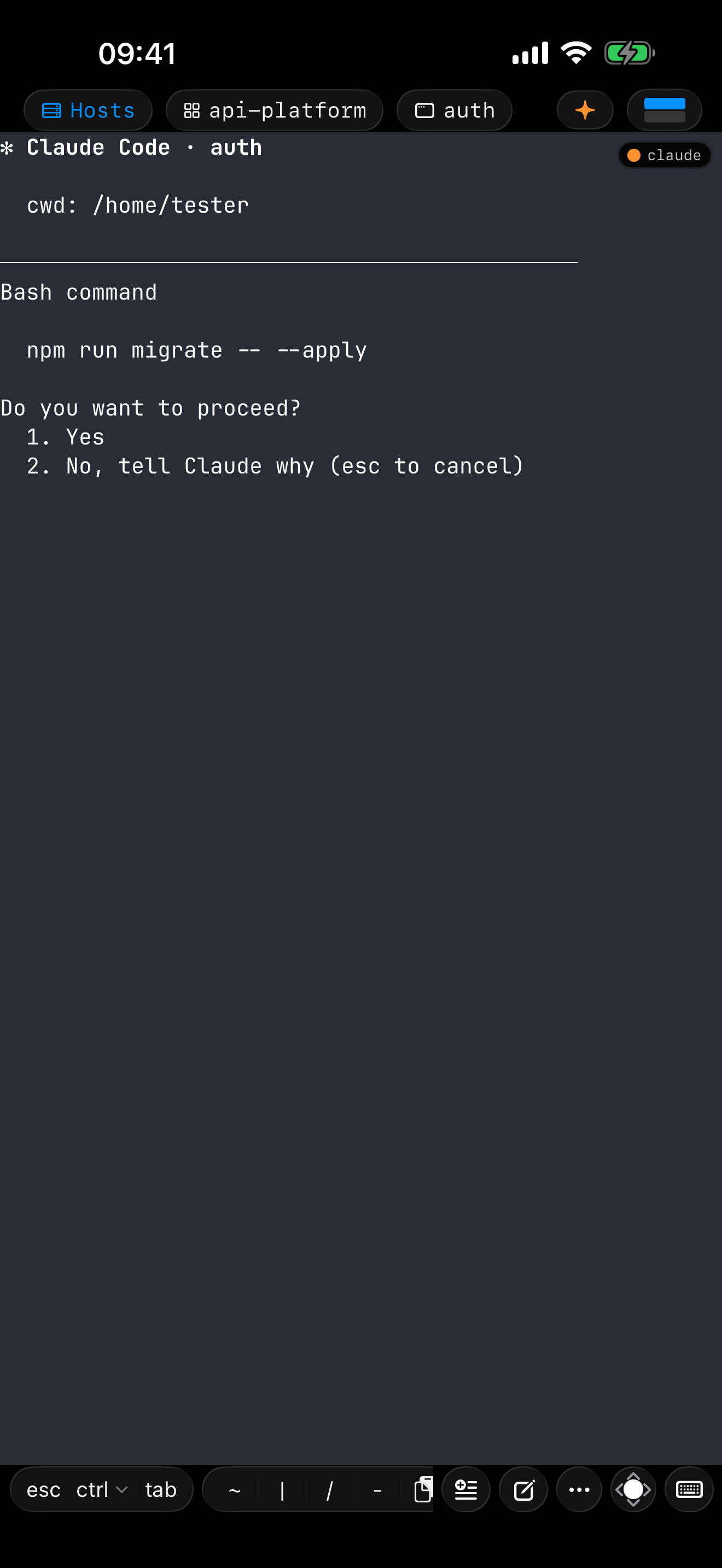
dotMux on iPhone in a herdr workspace: an agent's pane waits on a Do you want to proceed? prompt, with an orange blocked marker in its corner.
One setting per host

Pick herdr in the host form.

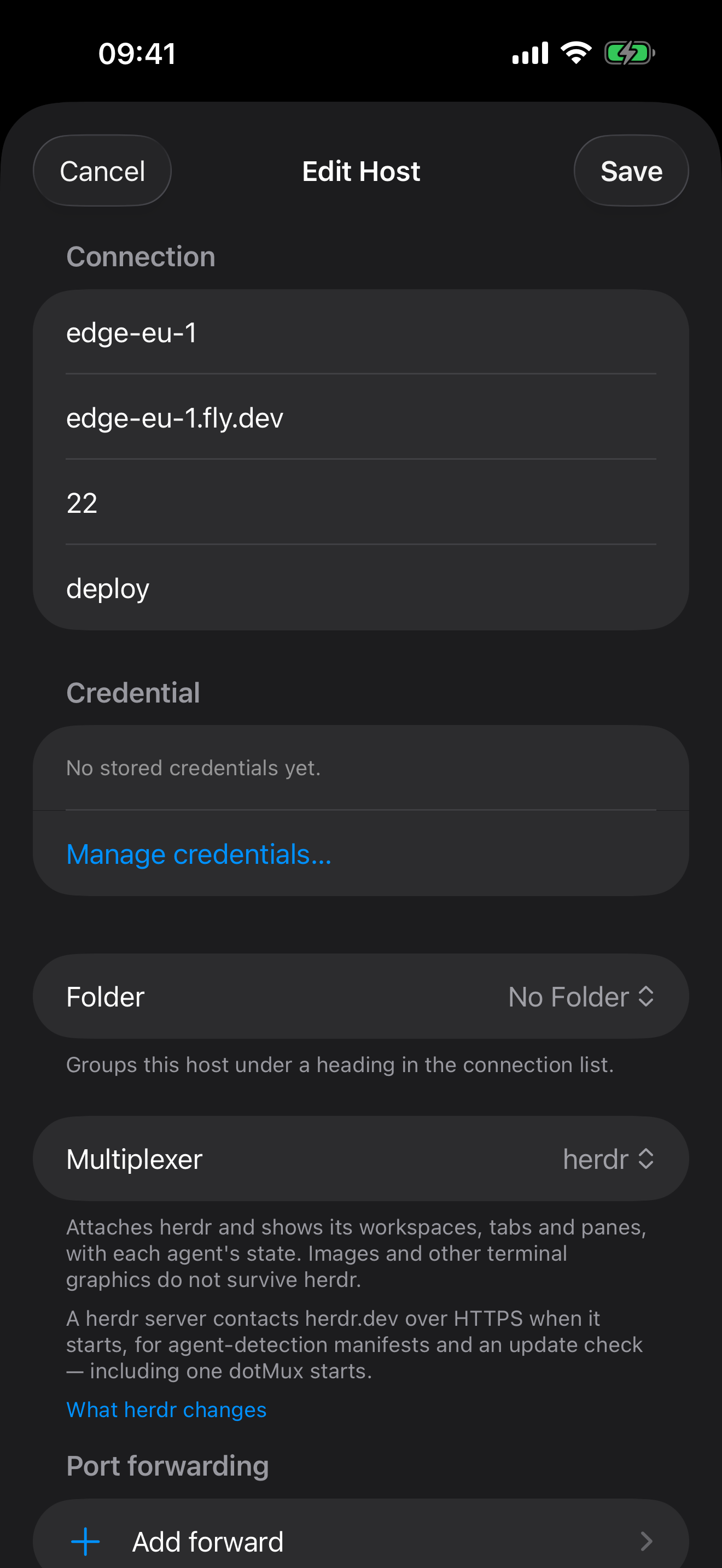
Set Multiplexer to herdr when you add or edit a host. dotMux never installs or upgrades herdr on the server, and if it's missing, older than 0.9.0 or won't start, dotMux says which and opens a plain terminal instead. If no herdr server is running, dotMux starts one and leaves it running, since your desktop may share it.

Panes open watching. The first key you type in one takes control of it; a pane someone else controls stays read-only until you choose Take control.

The dotMux host form on iPhone with the Multiplexer picker set to herdr.
The trade-offs, stated

What a herdr host gives up.

Like mosh, herdr runs its own terminal emulator on the server and sends a redrawn screen. Whatever it leaves off the wire, no client can restore. The form lists these before you save, and the support topic explains each one:

  • Inline images don't arrive, from herdr to any remote client
  • History stays on the host; Load History fetches the last 1000 lines
  • Programs can't write to your clipboard, though selecting on screen works
  • Mouse-driven programs need one tap on the pane to arm touch
  • While you type, the pane is sized to your screen, so it draws smaller on the host until you stop

Each live pane streams over its own SSH channel. A server with a low MaxSessions streams fewer panes at once, and the host form tells you how many.

Need images on a host? Choose tmux there instead. The choice is per host, so one server can run herdr while the next stays on tmux.

Herd your agents from the couch.

dotMux talks to your herdr server directly over SSH, with keys that never leave your device.

Download on the App Store$1.99 once for unlimited hosts

In the support center