▸ Claude Code · Codex · over SSH

Claude Code on your iPhone, running on your server.

Start an agent at your desk, walk away, and answer it from the phone when it asks for something. The agent never runs on the phone: it keeps working in tmux or herdr on your machine, and dotMux is how you reach it.

Free for one host · iOS 26+
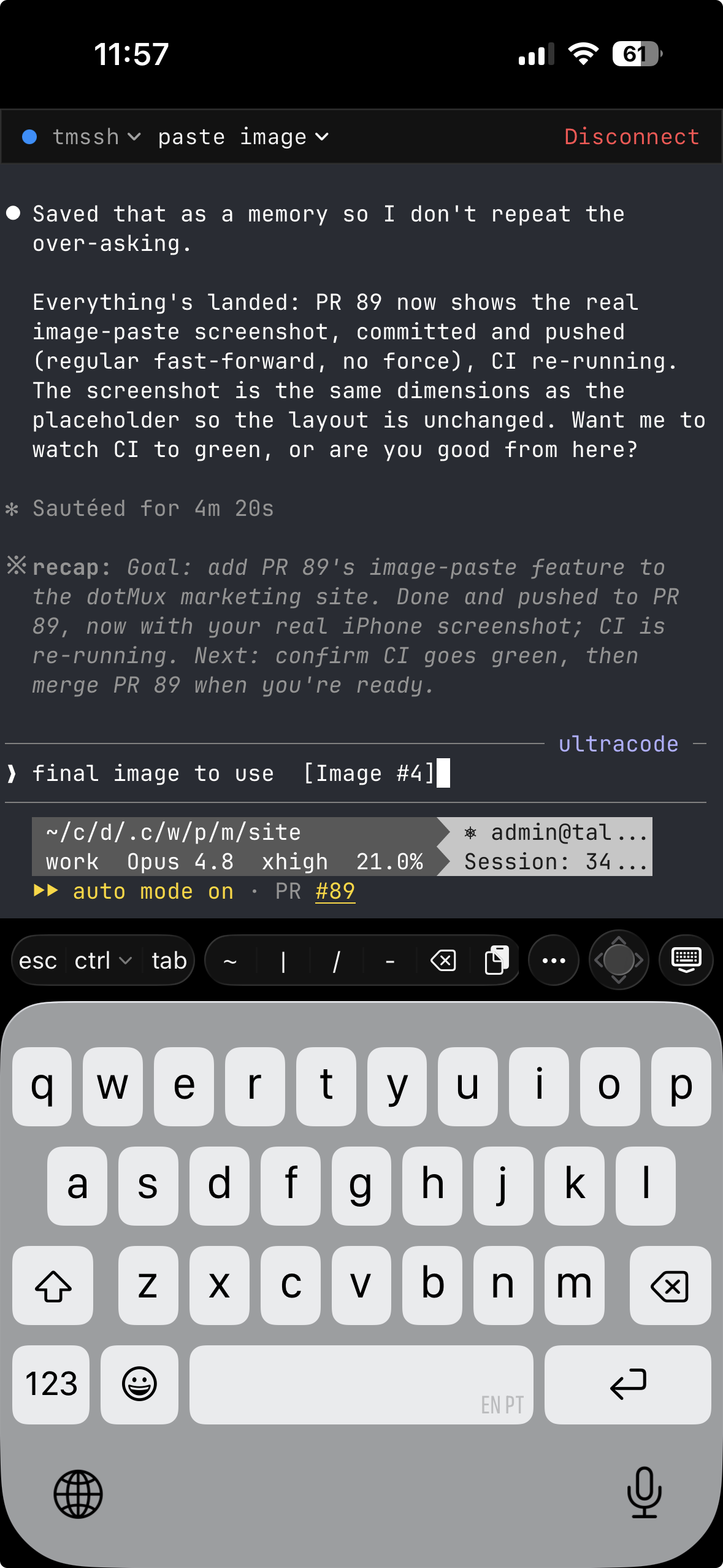
Claude Code running in a tmux pane in dotMux on iPhone, with the helper bar and its paste key above the iOS keyboard.
Long-lived sessions

The agent doesn't stop when your screen does.

An hour-long refactor shouldn't depend on an app staying in the foreground, and here it doesn't. Run Claude Code or Codex inside tmux or herdr on the server; when iOS suspends dotMux, the session carries on without you. Open the app again and it re-attaches to the same windows, so you read what the agent did while you were away.

Your prompt history, the agent's context and every file it touched stay on the server. The phone only draws the terminal.

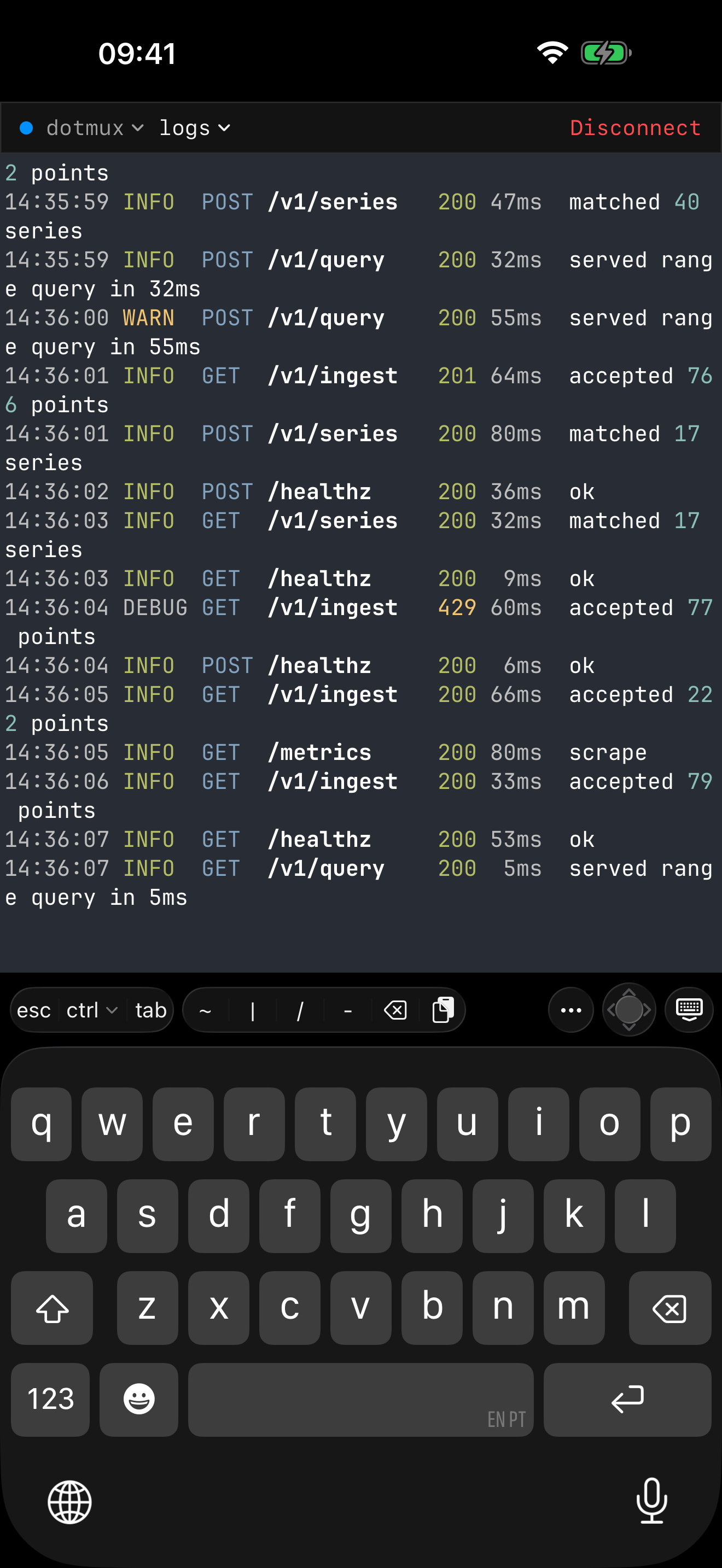
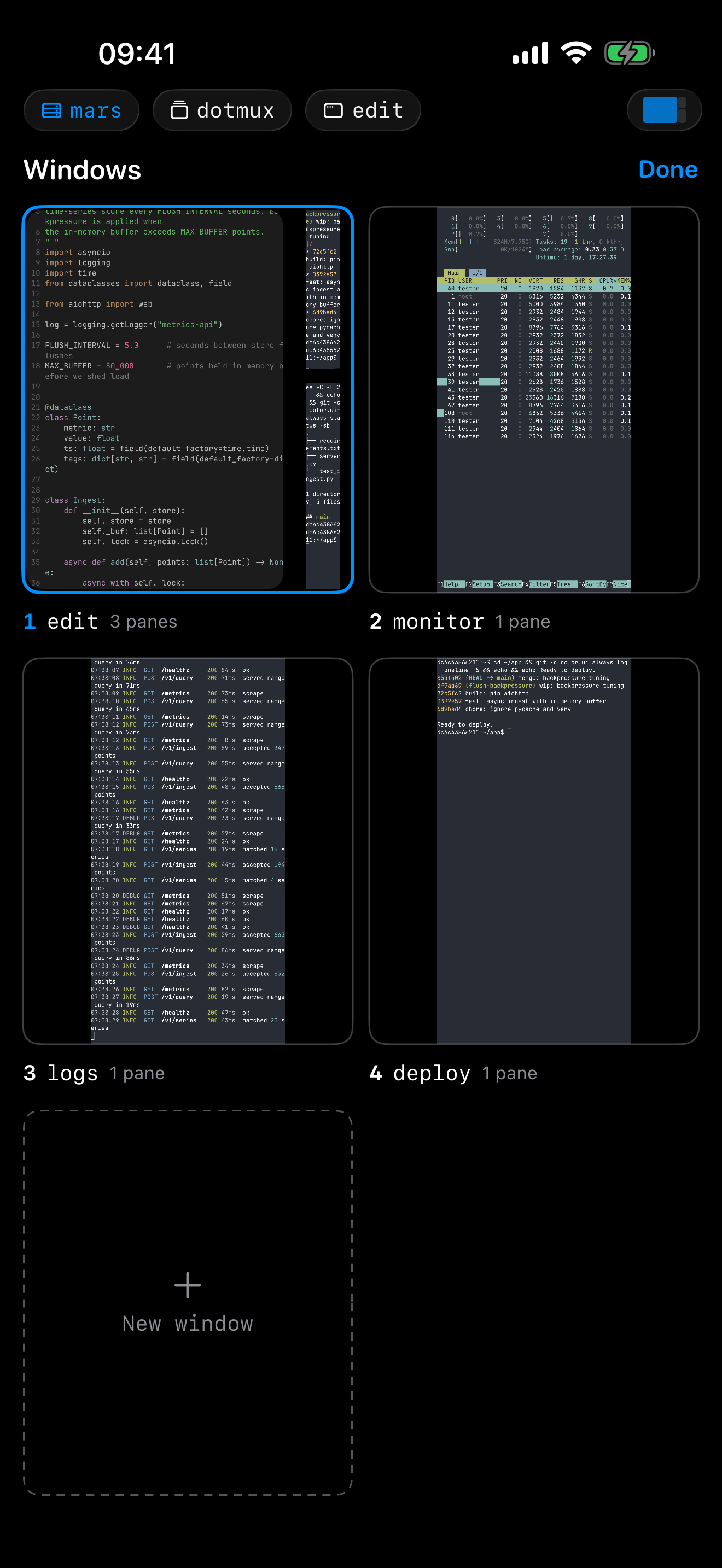
The dotMux window picker on iPhone, with live tiles of several tmux windows on one host.
Image paste

Show it the bug, don't describe it.

A headless server has no clipboard for an agent to read, so dotMux bridges one. Copy a screenshot on the phone and paste: the image goes up over SFTP on the connection you already have, and its file path is typed into the prompt. Claude Code turns that path into an attached image. Other CLIs get the path too, to use with their own file syntax.

Location data is stripped before upload, and old uploads clean themselves up on the host.

The dotMux helper bar above the iOS keyboard on iPhone: Esc, Ctrl and Tab, then symbol keys, the paste key, the composer key and an arrow joystick.
Copy that joins lines

Take its output with you.

Claude Code wraps its transcript to fit the screen, so copying the screen as shown would break every long line. Long-press and drag over it instead: Claude Code highlights the text itself, and the copy lands on your clipboard as logical lines, ready to paste into an issue or a chat. That handoff needs tmux 3.4 or newer on the host; under herdr, Copy Joined rejoins the lines instead.

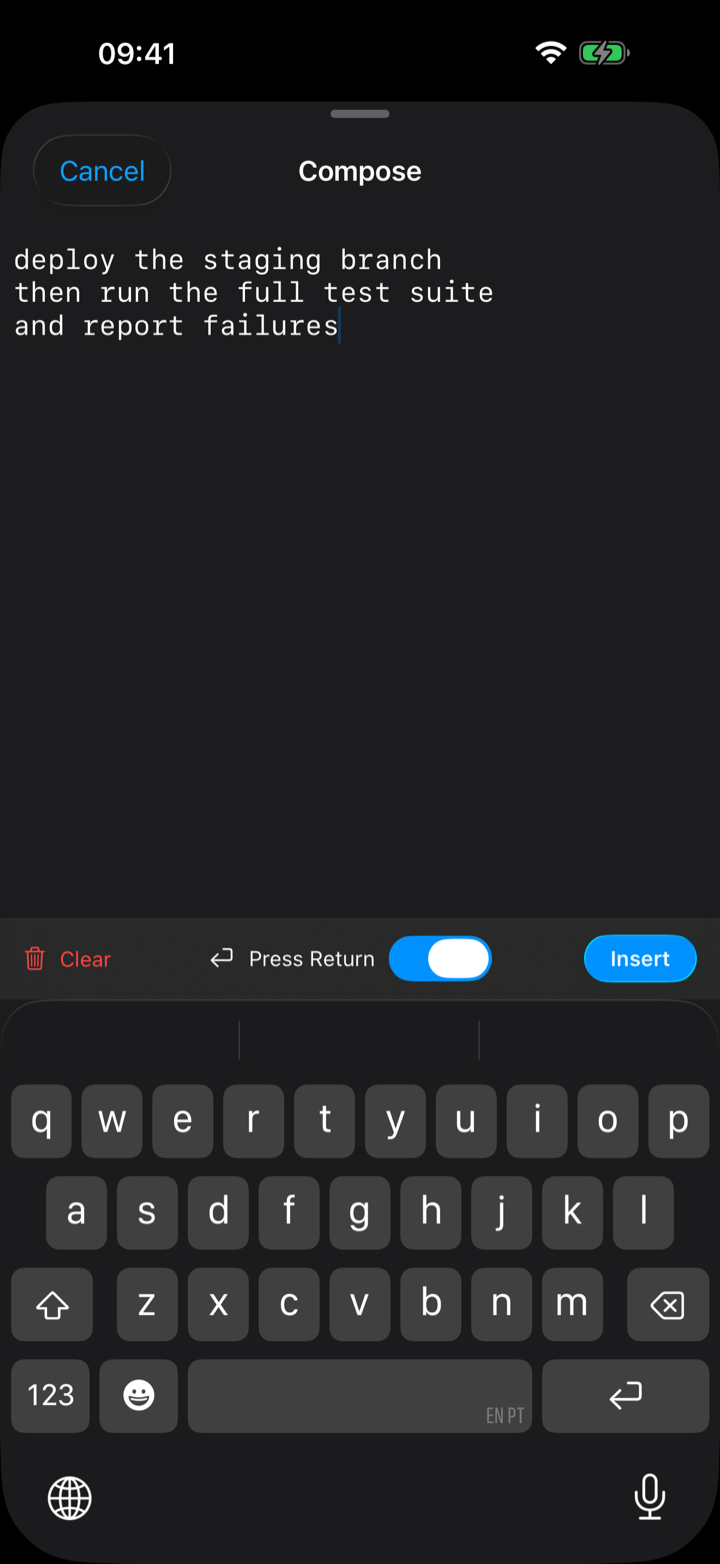
For long replies, the composer drafts a multi-paragraph prompt and sends it in one paste. Esc and Ctrl sit on the helper bar for interrupting a run that went the wrong way.

The dotMux composer sheet on iPhone for drafting a long, multi-line prompt.
Many hosts

One agent per machine, all of them live.

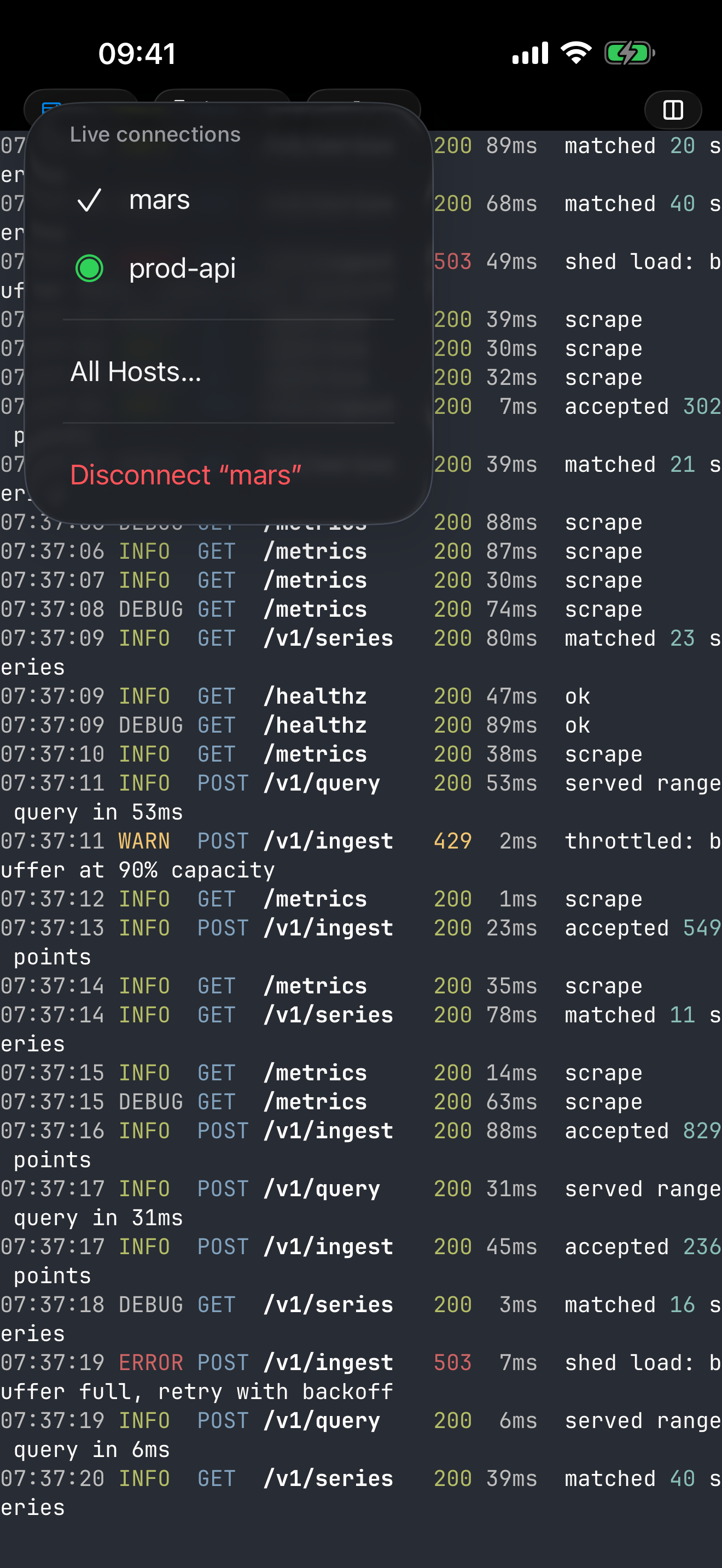
Keep a build box, a cloud VM and a homelab connected together. Switching between them doesn't reconnect or ask for Face ID again: the pill in the tab bar lists every open host, and a tap puts you in front of the agent on the next one.

The live-connections menu over a dotMux terminal on iPhone, listing two connected hosts.

Your agents, wherever you are.

No account and no relay: dotMux connects straight from your iPhone to your own servers with your own keys.

Download on the App Store$1.99 once for unlimited hosts

In the support center