▸ tmux control mode · iPhone & iPad

tmux on iPhone, without the prefix key.

Most iOS terminals hand you tmux the way a laptop does: a grid of characters and a Ctrl-B chord for everything. dotMux talks to tmux in control mode instead, and turns your session into tabs and views you drive with your thumbs.

Free for one host · iOS 26+
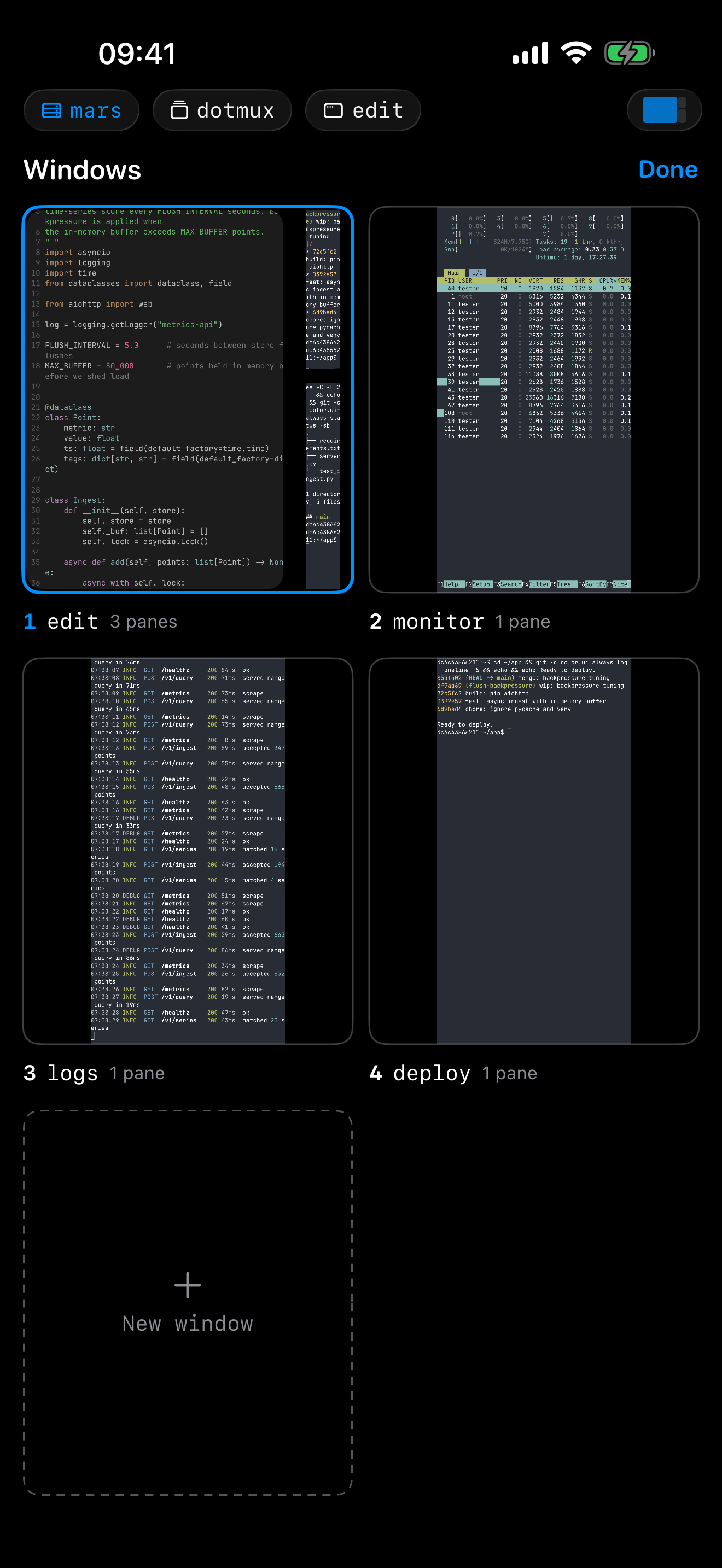
The dotMux window picker on iPhone: live tiles of four tmux windows — an editor, a system monitor, a log tail and a deploy — and a New window tile.
Windows become tabs

Every tmux window, one tap away.

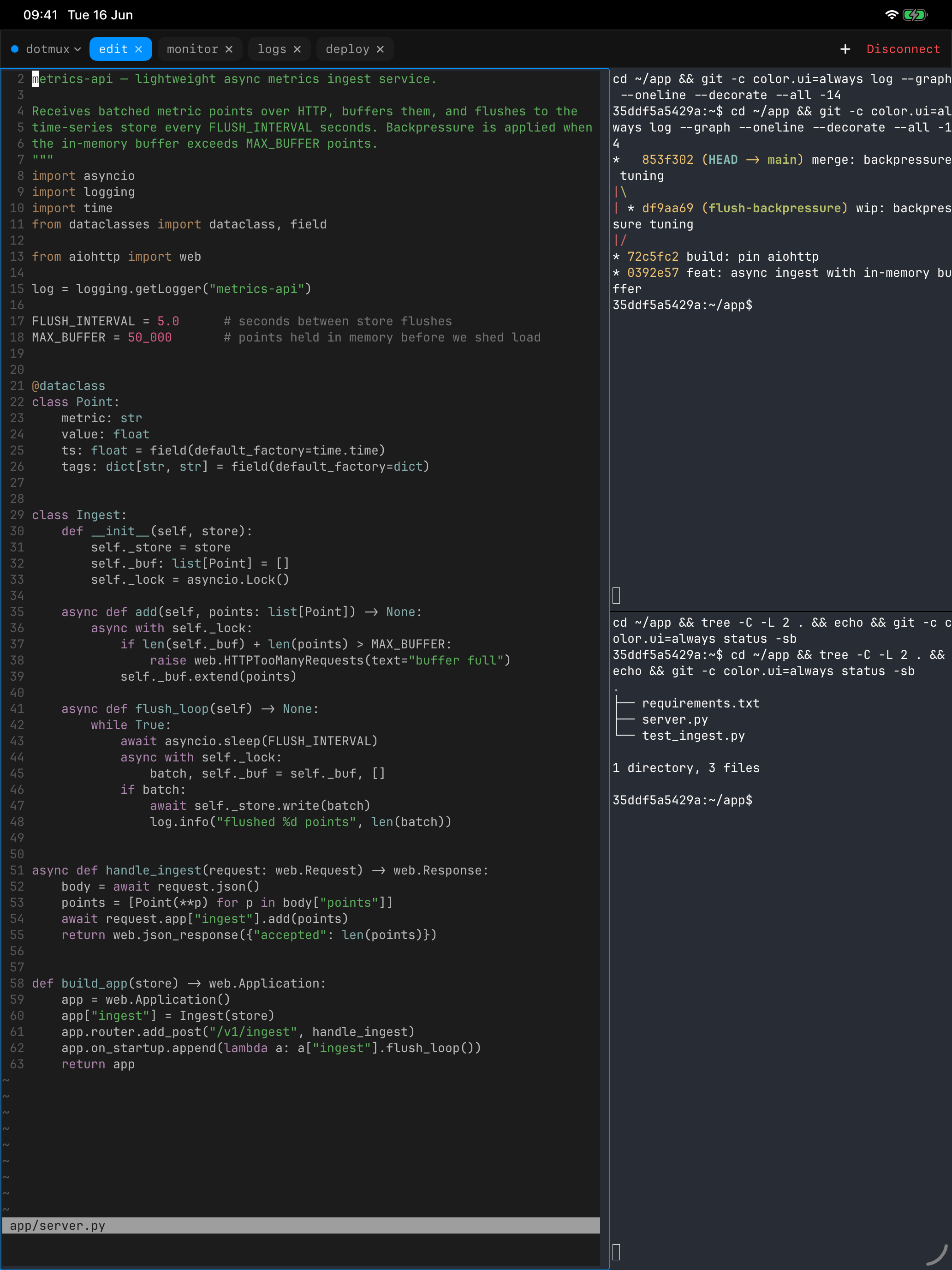
When you connect, dotMux starts or re-attaches a tmux session with tmux -CC. Each window in it opens as a native tab: a tab strip on iPad, a window menu on iPhone. Create, rename and close windows from there; closing asks first, because whatever runs inside dies with it.

The window picker draws a live miniature of each window's actual output, so you choose the one scrolling a build log instead of guessing which number it was.

dotMux on iPad: the tmux windows of one session as a tab strip across the top, the current one split into an editor, a commit graph and a shell.
Panes become views

Splits you can touch.

A pane is a real view, not a region of text. Split right or down from the pane menu, drag a divider to resize, equalize a lopsided layout. A phone screen holds one pane comfortably, so iPhone shows the focused one full screen with a small map of the layout in the tab bar; tap it to jump between panes. On iPad the panes sit next to each other at the sizes tmux reports.

Every split, resize and close is a tmux command. When tmux refuses one, say a pane too small to split, you see its own error rather than a layout that quietly disagrees with the server.

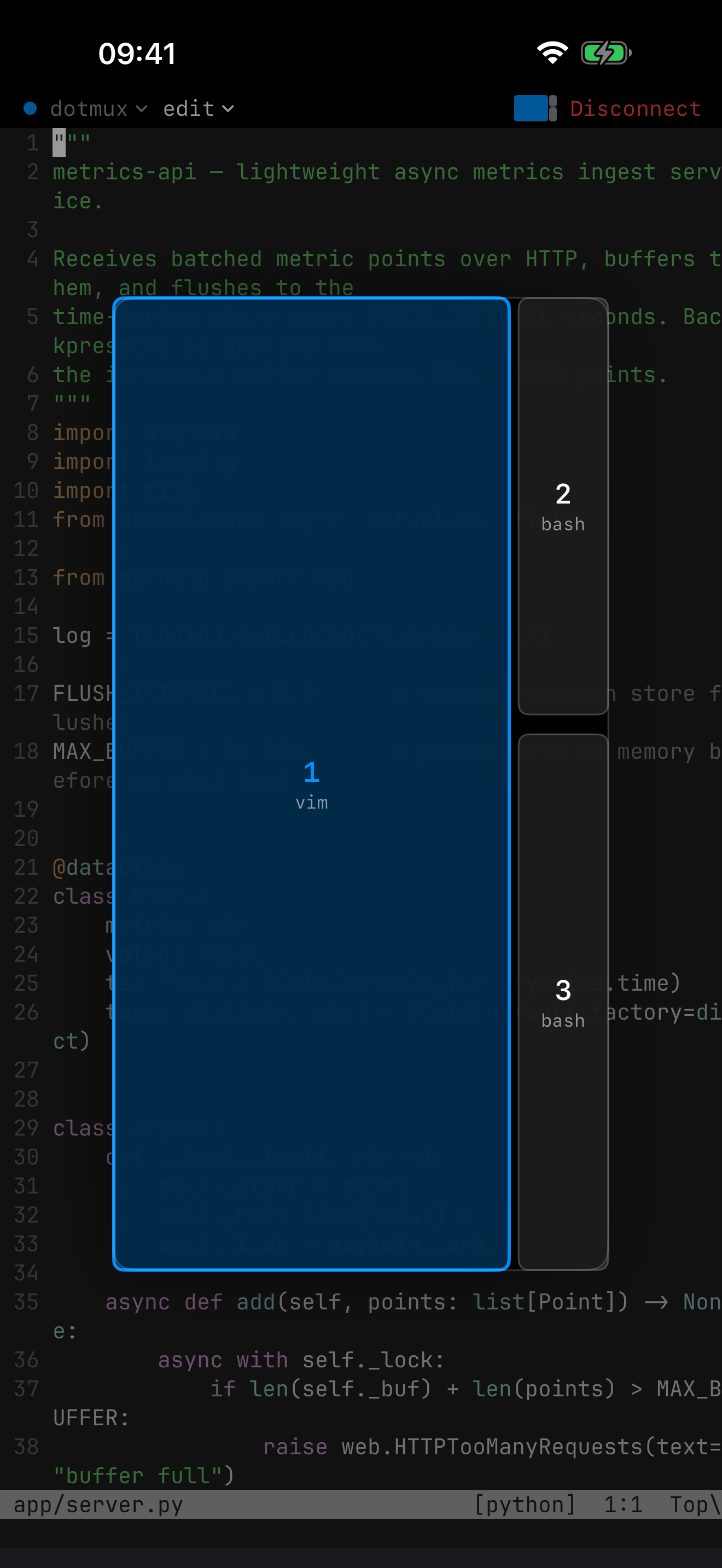
The dotMux pane picker on iPhone over a three-pane tmux window: a vim pane and two shells, the focused one highlighted.
Sessions that outlive the app

Lock the phone. tmux keeps going.

iOS suspends background apps, and sometimes kills them. Your work isn't on the phone, though: it lives in the tmux server on your machine. Come back and dotMux re-attaches, rebuilds the tabs and splits, and asks tmux to repaint the quiet panes.

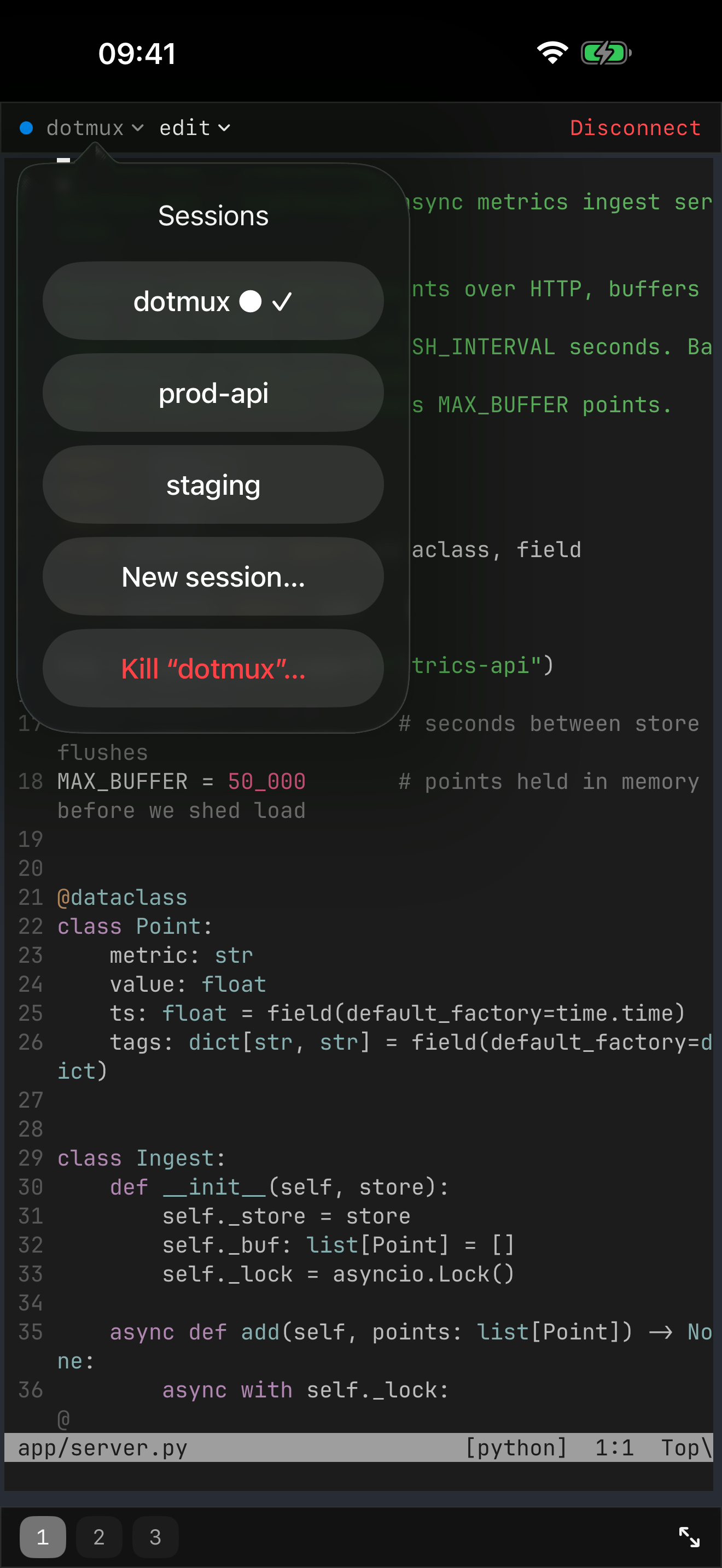
Tap the session name to list every session on the host, switch the attachment in place, or start a named one. Each host remembers where you left off. If a laptop shares the same window at a smaller size, tmux sizes it to the smaller client; dotMux letterboxes to match and names the other device, and one keystroke takes the full size back.

The dotMux session menu on iPhone: the host's tmux sessions with the attached one checked, New session, Port forwards, Disconnect and Kill.

No tmux on a host? It still connects.

tmux is every host's default; per host, you can pick plain or herdr instead. Where tmux is missing or won't start, dotMux keeps you connected in a plain SSH terminal.

Download on the App Store$1.99 once for unlimited hosts

In the support center