Paste images into Claude Code and other CLIs
Yes, you can. Copy an image on your iPhone or iPad, then paste it in a remote session — dotMux uploads the image to the host and drops its path into the focused pane. In Claude Code that path attaches inline as [Image #1]; with other tools you get the path right there in your prompt to reference however that tool expects.
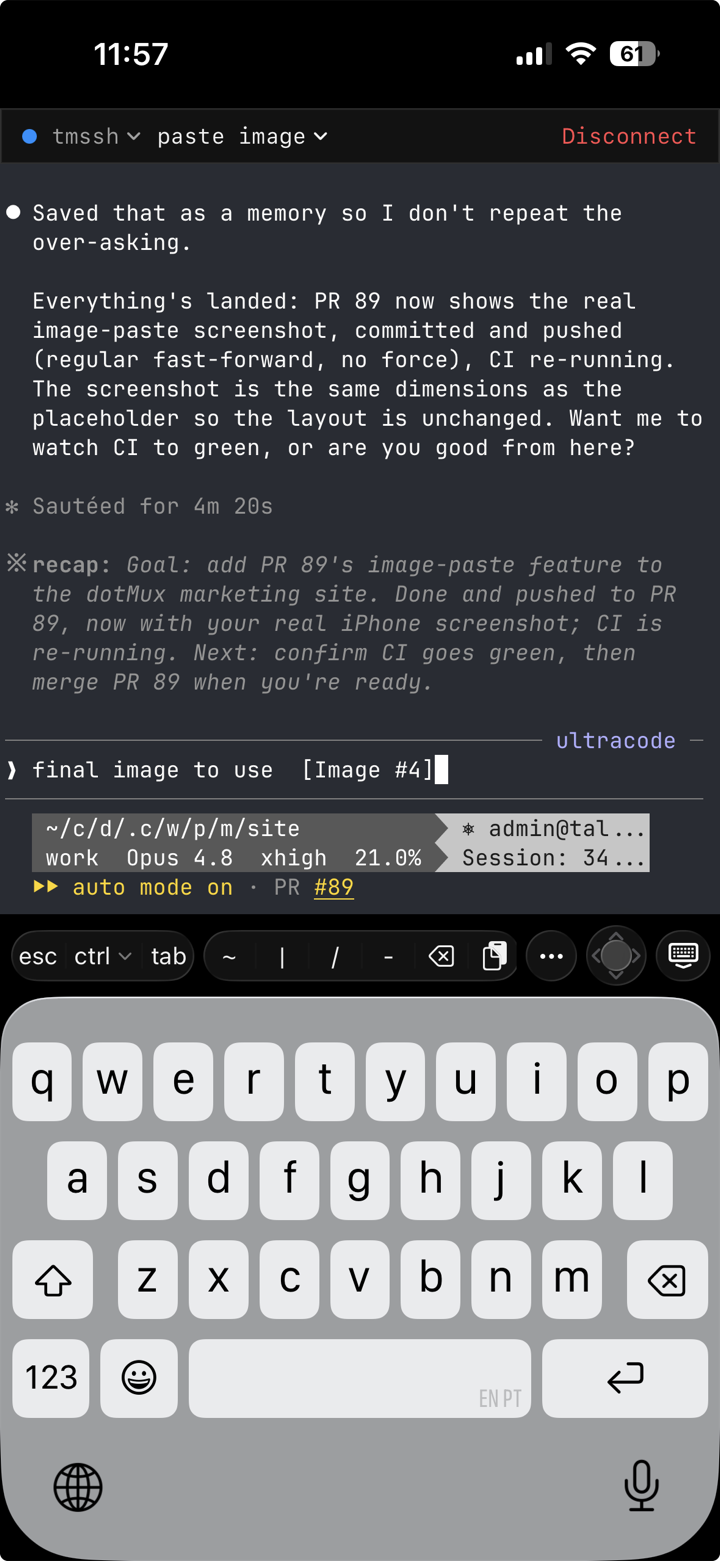
Why it needs a bridge
A CLI reads images from the clipboard of the machine it runs on. A headless SSH host has no clipboard (and no display), so its own Ctrl-V has nothing to grab. Instead, dotMux uploads the image bytes over a second SFTP channel on the same SSH connection, into a folder in your own home directory (~/.dotmux/paste/), then sends only the resulting file path into the focused pane as a bracketed paste — which is what lets Claude Code attach it as an image rather than treat it as text. The image bytes never travel through the tmux stream, and no Enter is sent, so you add your prompt and submit when you’re ready.
Details
- Formats & size — images are converted to a supported format (PNG, JPEG, or GIF) and kept under Claude’s limits. HEIC photos become PNG/JPEG automatically. An image that can’t be brought under the size cap is dropped (you’ll feel a failure haptic) rather than sent, because an oversize image can wedge the session.
- Privacy — location and other photo metadata (EXIF/GPS) is stripped on the device before the image is uploaded, so a geotagged photo doesn’t leak where you were. As always, the transfer is straight to your server — nothing passes through any dotMux backend.
- Cleanup — uploaded files are written privately (owner-only) and clean themselves up: only the most recent few per window are kept, anything older than a day is pruned, and a window’s files are removed when you close it.
- Text paste is unchanged — pasting text works exactly as before; an image just takes precedence when the clipboard has one.
Other CLIs
The upload and path injection happen regardless of what’s running in the pane. Claude Code is the seamless case — it turns a pasted bare path into an inline image on its own. Other CLIs attach files their own way (a launch flag, an /add command, an @path mention), so you may need to wrap the pasted path in their syntax; a built-in per-tool option is a possible future addition.