Split, resize and close tmux panes
Splits are real native views, not regions of a character grid. Open the pane menu — the pane button in the tab bar, a long-press on any unfocused pane, or a right-click with a trackpad — and pick:
- Split Right or Split Down to divide the current pane.
- Resize to nudge the boundaries — or just drag the divider between two panes, on iPhone as well as iPad.
- Equalize to even out a lopsided layout, and Close Pane… (always confirmed) to remove one.
With a hardware keyboard it’s the shortcuts you already know: ⌘D split right, ⇧⌘D split down, ⇧⌘W close, ⌃⌘-arrows to resize.
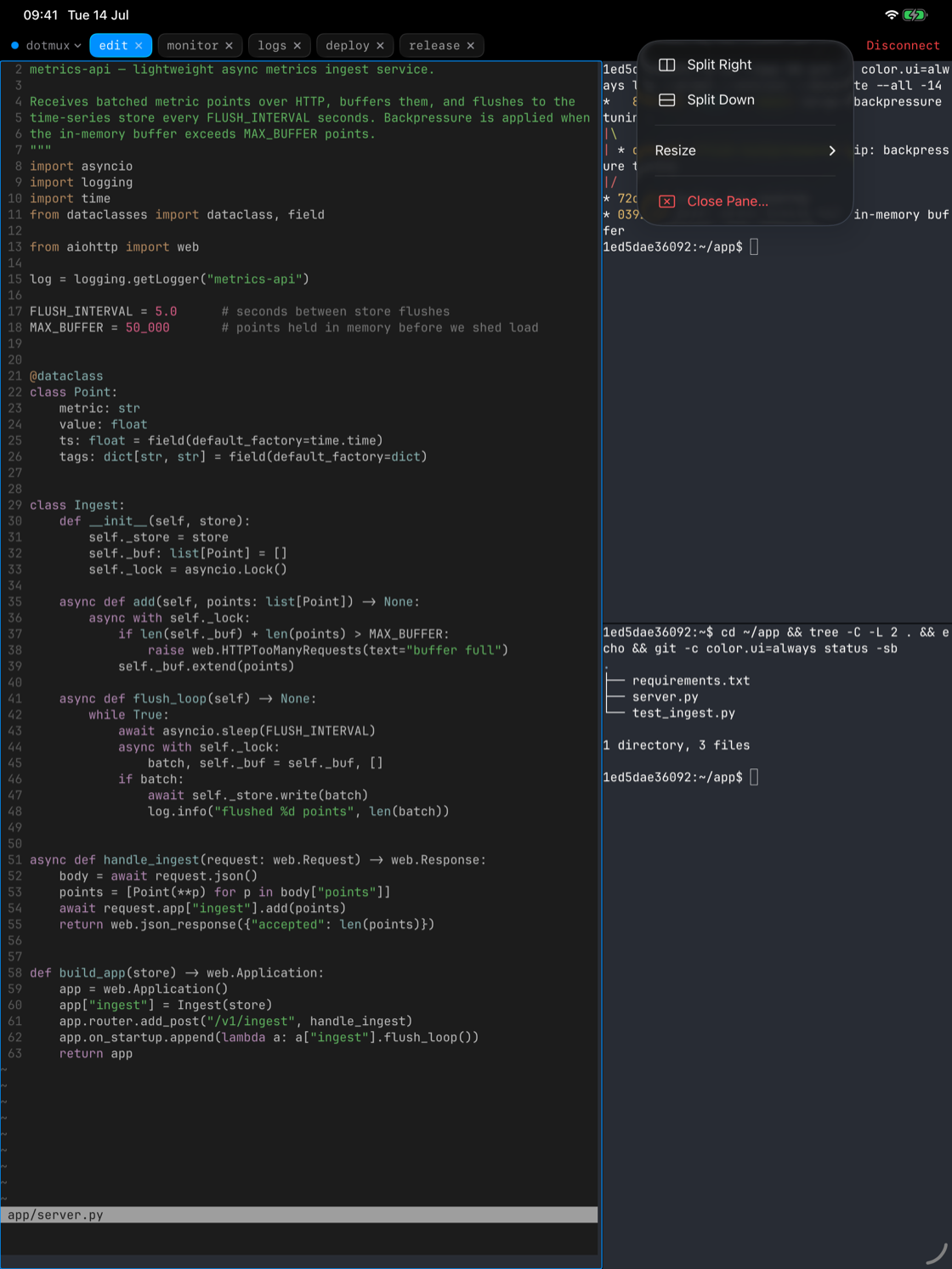
On a herdr host, panes split, resize and close from the same menu and dividers.
The minimap — every pane on an iPhone screen
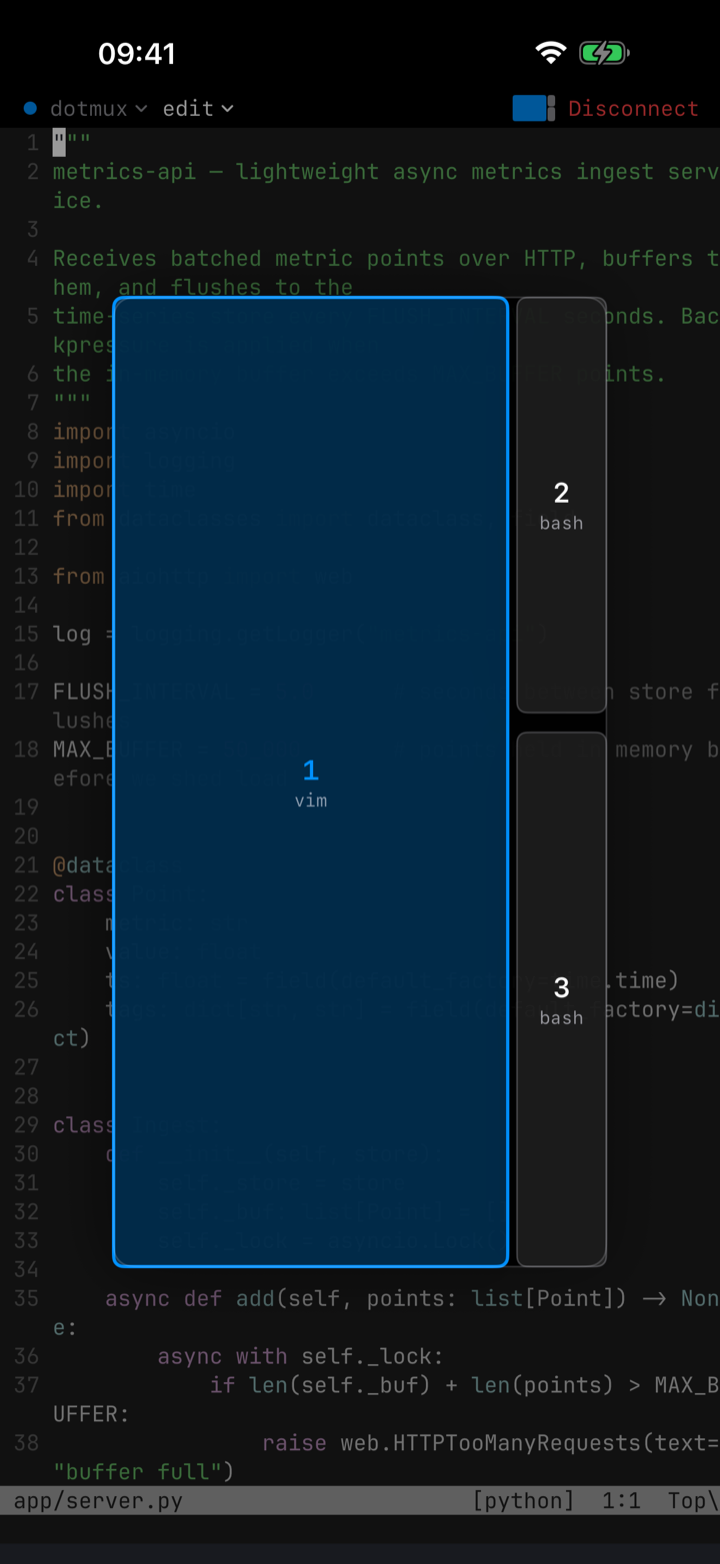
A phone screen fits one pane comfortably, so dotMux shows the focused pane full-screen and draws a small, layout-proportional minimap in the tab bar. Tap it and it expands into a pane picker — live tiles of the panes themselves, each labelled with its running command; tap a cell to focus it, or long-press for the pane menu. Focus tracks the server both ways — tap a split to focus it, and when another client moves the active pane, dotMux follows.
Scrollback that behaves
dotMux keeps a deep local scrollback, far past tmux’s default, and restores it when a surface rebuilds. Swipe to scroll it — swiping scrolls the scrollback; it doesn’t move the cursor — unless the app in the pane (htop, vim, Claude Code) has captured the mouse, in which case your swipe drives its viewport instead.