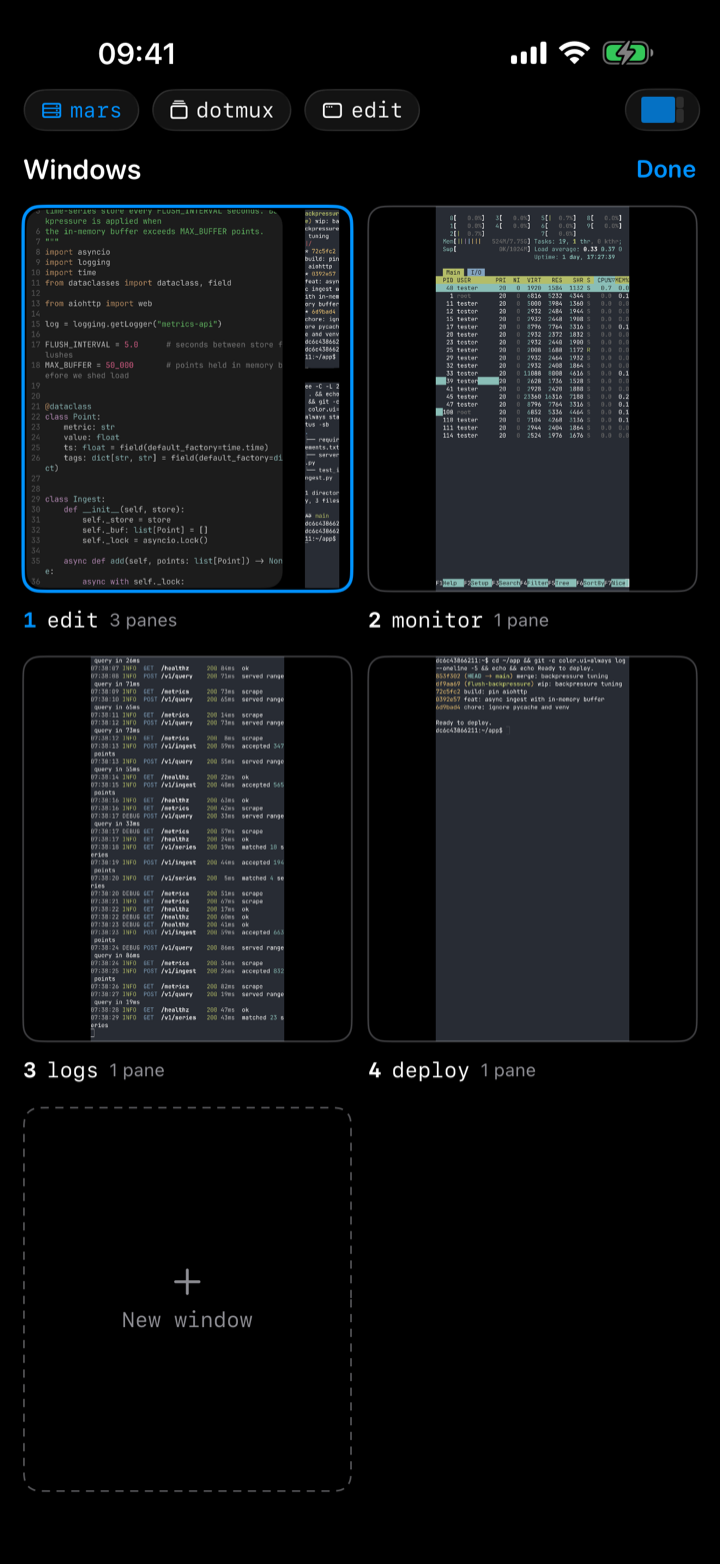
tmux windows as tabs, with live previews
Every tmux window becomes a native tab, and so does every herdr tab. On iPad you get a tab strip across the top; on iPhone, a window menu in the tab bar. Tap to switch — no Ctrl-B anywhere. Create, rename, and close windows from the same place; closing always asks first, because the processes inside die with it.
Why do my windows show pictures instead of names?
Because bash and 3 don’t tell you much. The window picker doesn’t list names — it renders a live tile of each window, its real layout and real output, updating while you look at it. You pick the editor because it has your code in it, not because you remembered its number; the log tail is the one scrolling. The pane picker does the same thing one level down, and a New window tile sits at the end.
Tiles render the window as tmux describes it — a split window shows its splits, a zoomed pane fills the tile. They’re read-only: tap one to go there.