Customize the keyboard bar
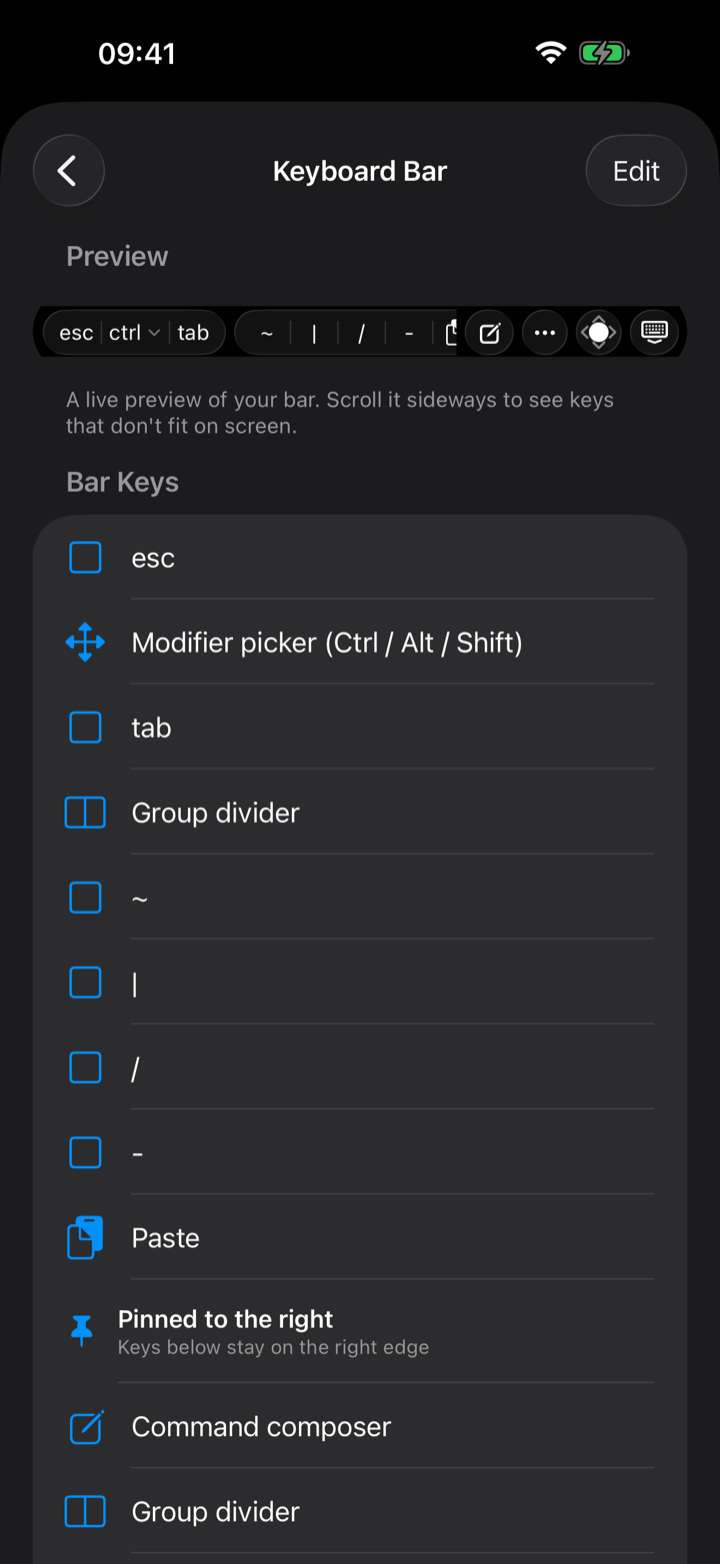
The helper bar isn’t fixed. In Settings → Keyboard → Customize Keyboard Bar you can add, remove, and reorder every element, with a live preview of the result:
- Special keys (Esc, Tab, arrows), the full F1–F12 range, and Ctrl combos like
^C^D^Z. - Shell symbols, and your own custom text snippets for commands you type all the time.
- Widgets like the joystick and composer, group dividers, and a draggable “Pinned to the right” boundary — with Reset to Default one tap away.
Export and import a layout
Happy with your layout? Export it as a JSON file from the same screen to back it up or carry it to another device, and Import to bring it back — imports are validated (foreign, newer, or empty files are rejected) and confirmed before they replace what you have.