Switch between hosts and keep several connected
Moving from one server to another is a single tap, and it costs nothing: no reconnect, no second Face ID prompt, no waiting for a shell to come back. Two ways to do it:
- From the connections list — connected hosts carry a live dot, so you can see what’s running before you tap. Tapping a live host drops you back into the session you left, exactly as you left it.
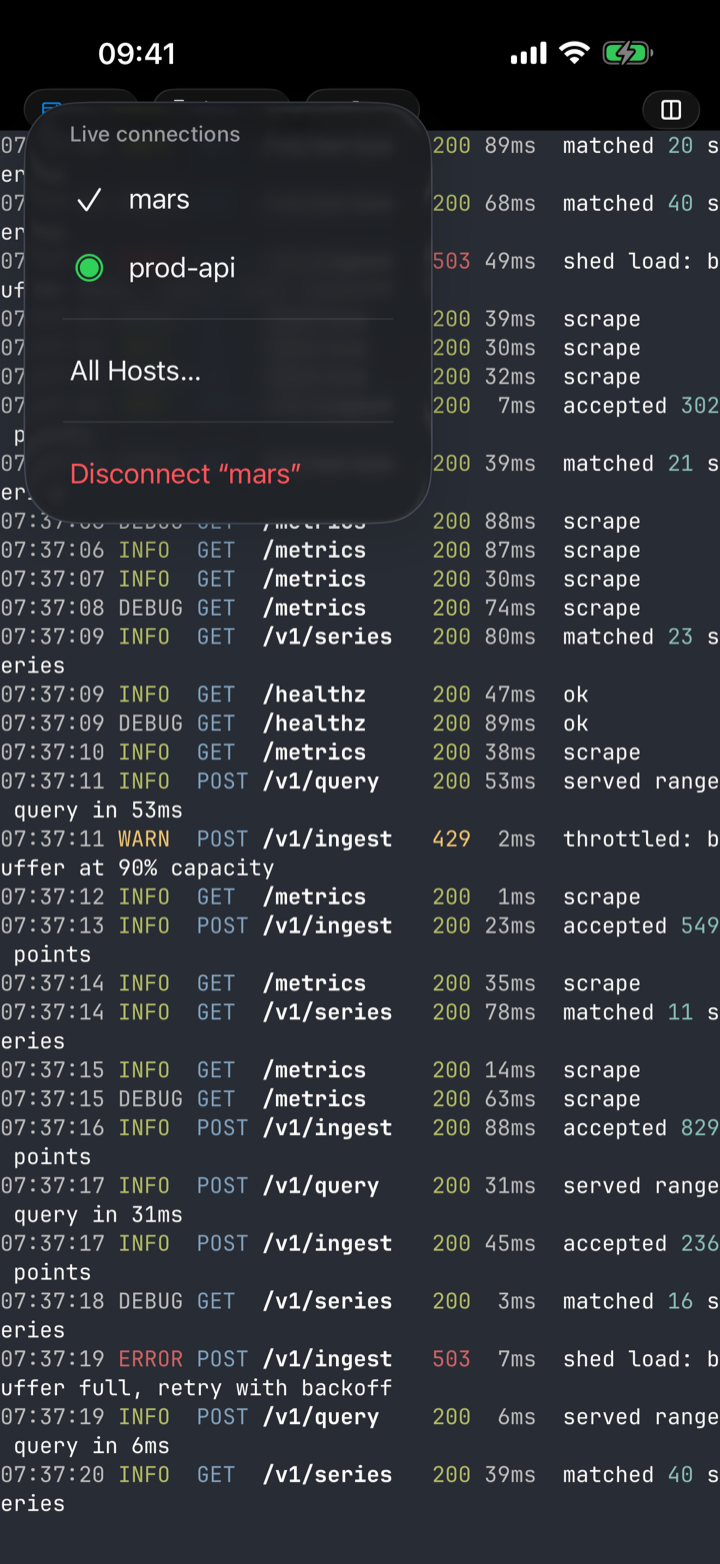
- Without leaving the terminal — the connection pill in the tab bar names the host you’re in; tap it for the live-connections menu and jump straight to any other open host. All Hosts… returns to the list, and Disconnect ends just this one.
Why it’s instant
Nothing was torn down. dotMux holds as many connections open as you like. Leaving a terminal — backing out to the list, opening Settings, switching to another host — does not disconnect it: the shells keep running, and so does everything inside them, which is why there is nothing to re-establish when you come back. Connections end only when you end them (or when the server does).
If you keep a lot of hosts, put them in folders; each folder header shows how many of its hosts are connected.
Disconnect is deliberate. Nothing tears a connection down behind your back — not leaving the screen, not switching hosts. You disconnect from the pill menu or the terminal chrome, and a backgrounded app re-attaches to what was running (see when you come back).