Add a host and connect
dotMux is a native SSH client for iPhone and iPad that turns remote tmux and herdr sessions into real iOS tabs and panes. It connects straight from your device to your own servers — there’s no dotMux account, no relay, and no backend in the middle. The developer never receives your keys, passwords, or traffic.
Add your first host
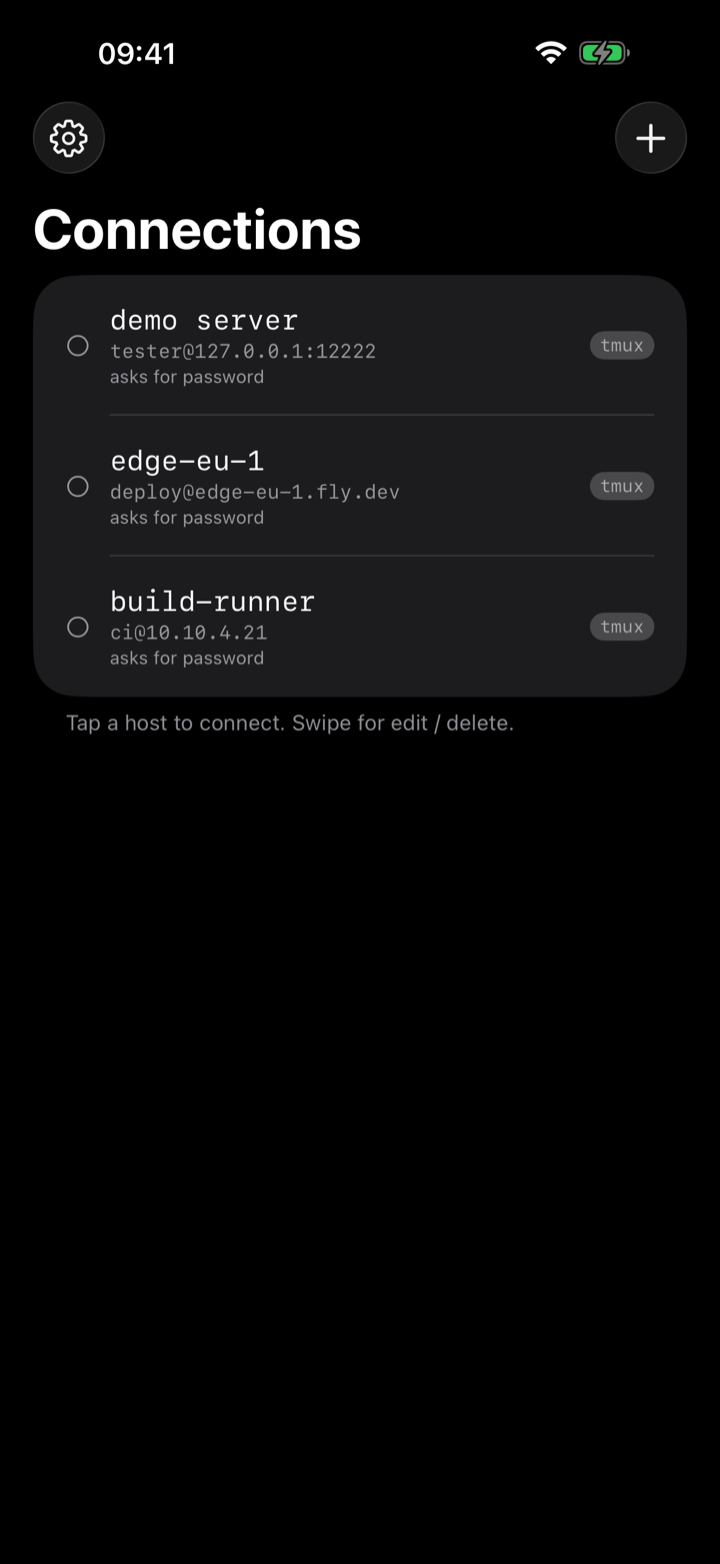
- On the connections list, tap Add Host.
- Enter a display name, the hostname or IP, and the port (22 unless you’ve changed it).
- Enter the username you log in as.
- Under Credential, pick a stored credential, or tap Manage credentials… to add one — paste an ed25519 key, generate a Secure Enclave key on the device, or save a password. You can also leave it as None and dotMux will ask for a password when you connect.
- Save the host, then tap it to connect.
While a host connects, a card shows each step — connecting, starting the shell, attaching tmux or herdr — with a timer after a few seconds and a Cancel button. If it fails, the card stays with the reason and Back and Retry, and says to check your network or VPN when the host was never reached.
If a host has no usable stored credential — either none is set, or the one it pointed at was deleted — dotMux prompts for a password at connect time. Tick Save password in that prompt to remember it for next time. It’s only saved after the login actually succeeds, so a wrong password is never stored. Which keys and passwords work →
Hosts are just saved entries: swipe to edit one any time, and renaming or re-pointing a host you already have never costs anything.
Folders
Once you have more than a handful, put them in folders — Homelab, Production, one per client. A host belongs to at most one folder, folders collapse, and each folder header carries a count of how many of its hosts are currently connected, so a glance at the collapsed list still tells you what’s live.
Next
- Switch between hosts — connections stay open when you leave them.
- tmux control mode — what turns tmux windows and panes into native tabs and views.
- herdr — the multiplexer built for coding agents, chosen per host instead of tmux.